A biohacking app for the experiments you run on yourself
Log the protocol you are testing, check off each practice, rate sleep and energy in a few taps and write down what you noticed, all in one app. After a few weeks, your records line up day by day. With Pro, AI chat answers questions about what you logged, and daily and weekly reports summarize it. What a pattern means is your call.
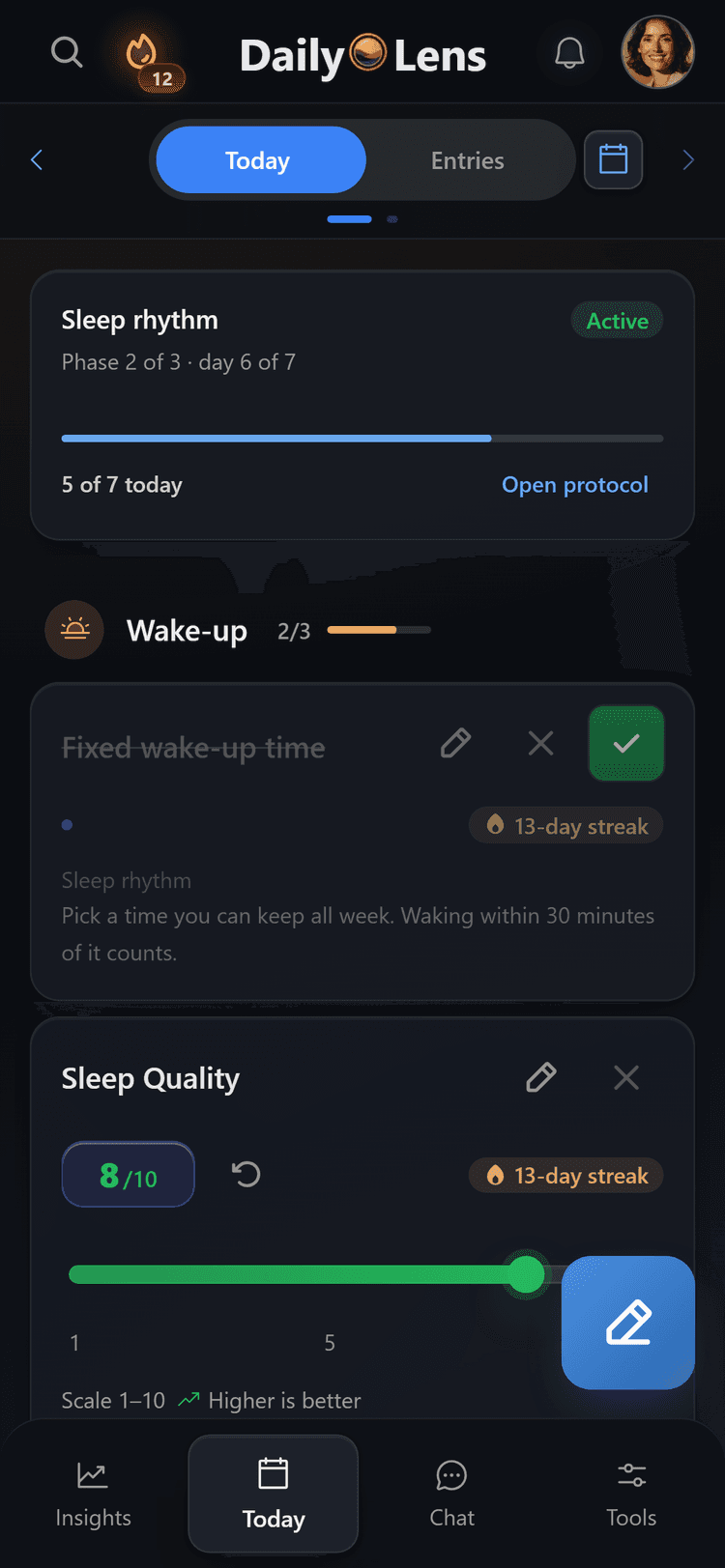
Start a ready-made protocol or build your own, then check off each practice.
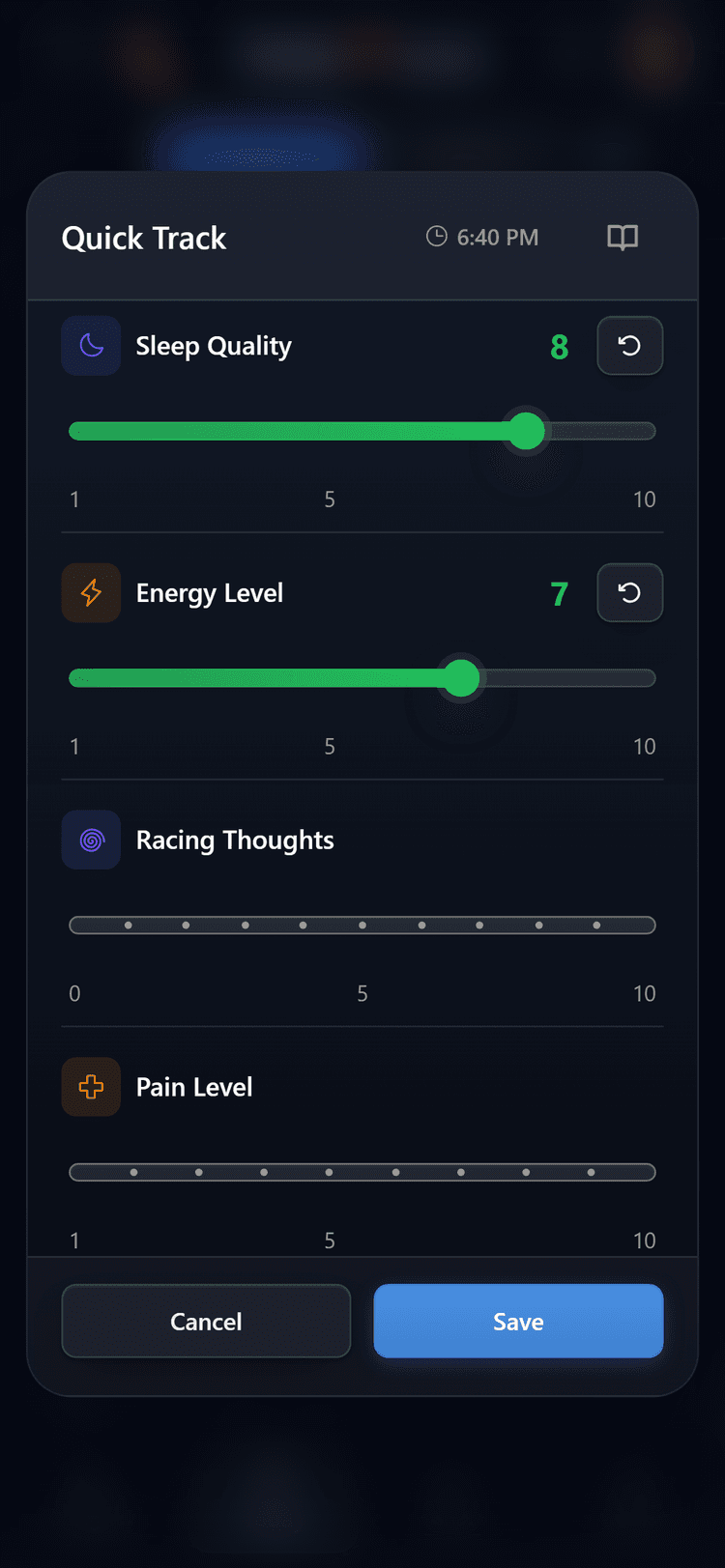
Rate sleep quality and energy on simple sliders in a few seconds.
With Pro, ask AI chat about your records and read daily and weekly reports.
One experiment, one place
What you did and how the day went, side by side
A typical day: a protocol practice in the morning, two ratings after waking and a short note in the evening.
Protocol
Practices checked off
Ratings
Sleep 8 · Energy 7
Context
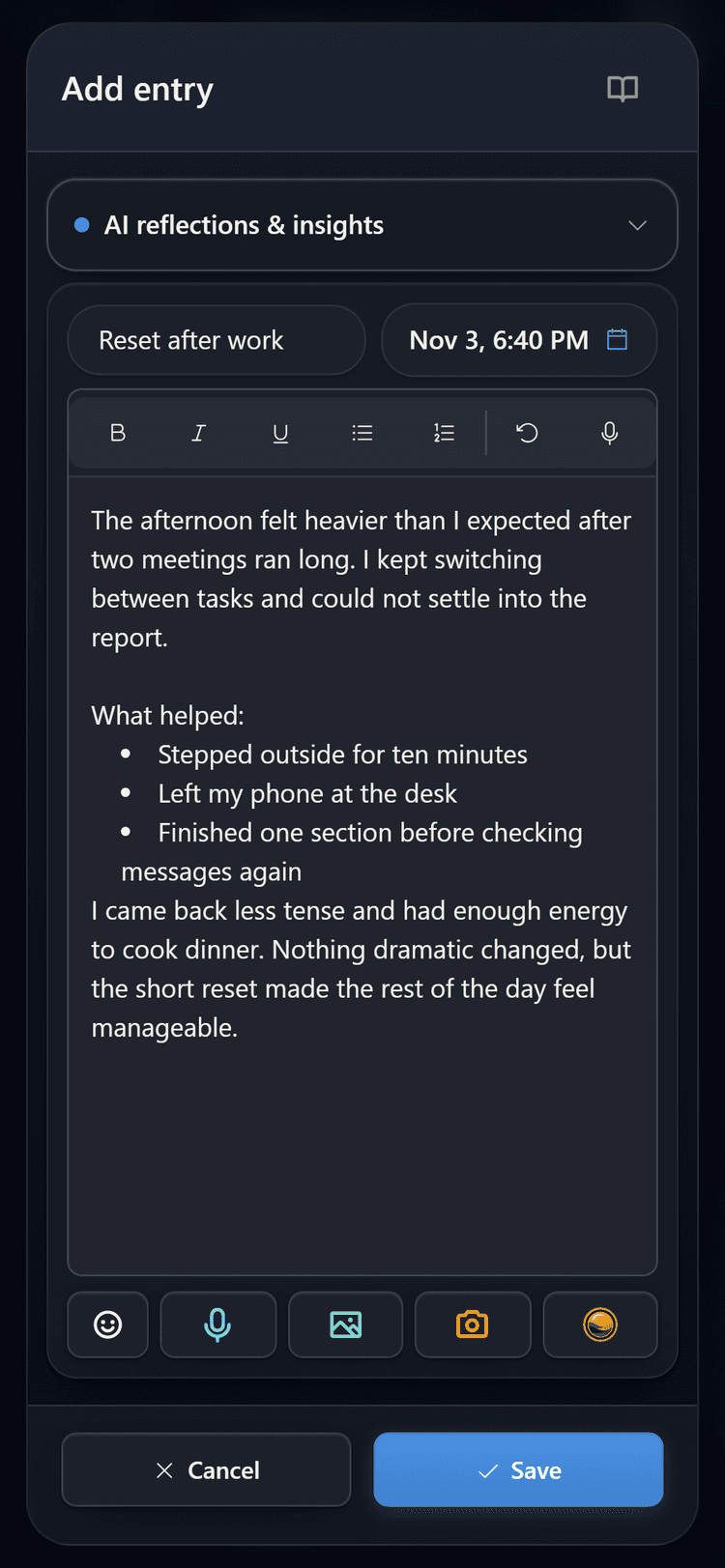
Voice or text entry
Why one log
Self-experiments fall apart when the records are scattered
A supplement list in one app, sleep in another, observations in a notes file. DailyLens keeps the protocol, your ratings and your journal on the same days, so you can compare them later.
Protocols you follow day by day
Start a ready-made protocol such as the sleep reset, or build your own with practices like magnesium, creatine or morning light. Today shows what is due and when.
Ratings that take seconds
Quick Track rates sleep quality, energy and other measures on sliders. On Android, the DailyLens app can also add sleep, workouts and steps from Health Connect.
Notes a number cannot hold
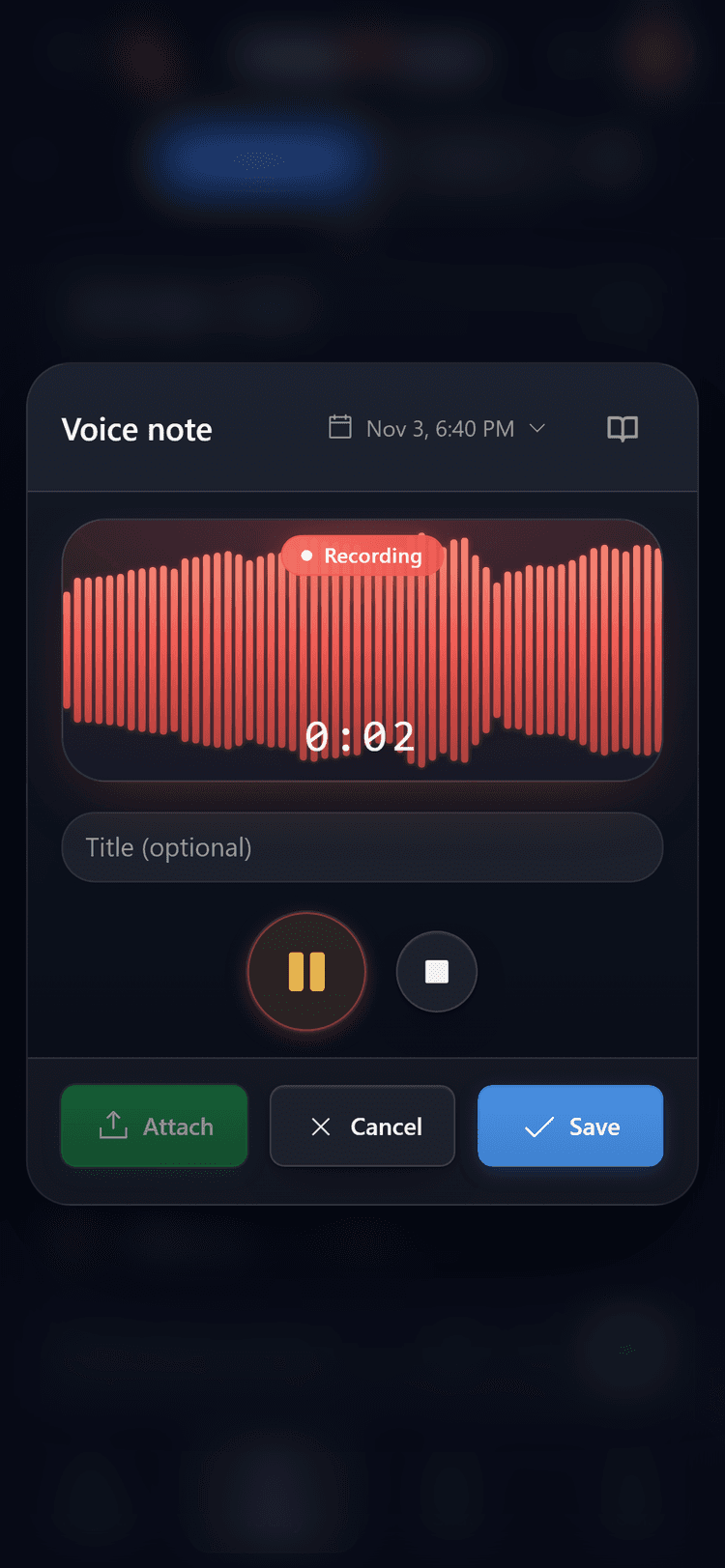
A short voice note or a few lines keeps what the ratings miss: a late coffee, a hard training session, a restless night. Later you read it next to the numbers from that day.
How a test runs
From the first practice to your own conclusion
Four steps. DailyLens records and lines things up; deciding what worked stays with you.
01
Set up
Choose one protocol
Start a ready-made protocol or build your own. Changing one thing at a time keeps your comparison readable.
02
Log
Check off practices, add two ratings
Mark what you did on Today, or skip a practice for the day. Rate sleep and energy from the + button.
03
Context
Note what else happened
Record a voice note or write a few lines. Text entries also work offline and sync when you are back online.
04
Review
Look back over the weeks
Insights shows consistency and mood, plus Health Connect data if you use the Android app. With Pro, AI chat answers questions about your records, and reports summarize each day and week.
Inside the app
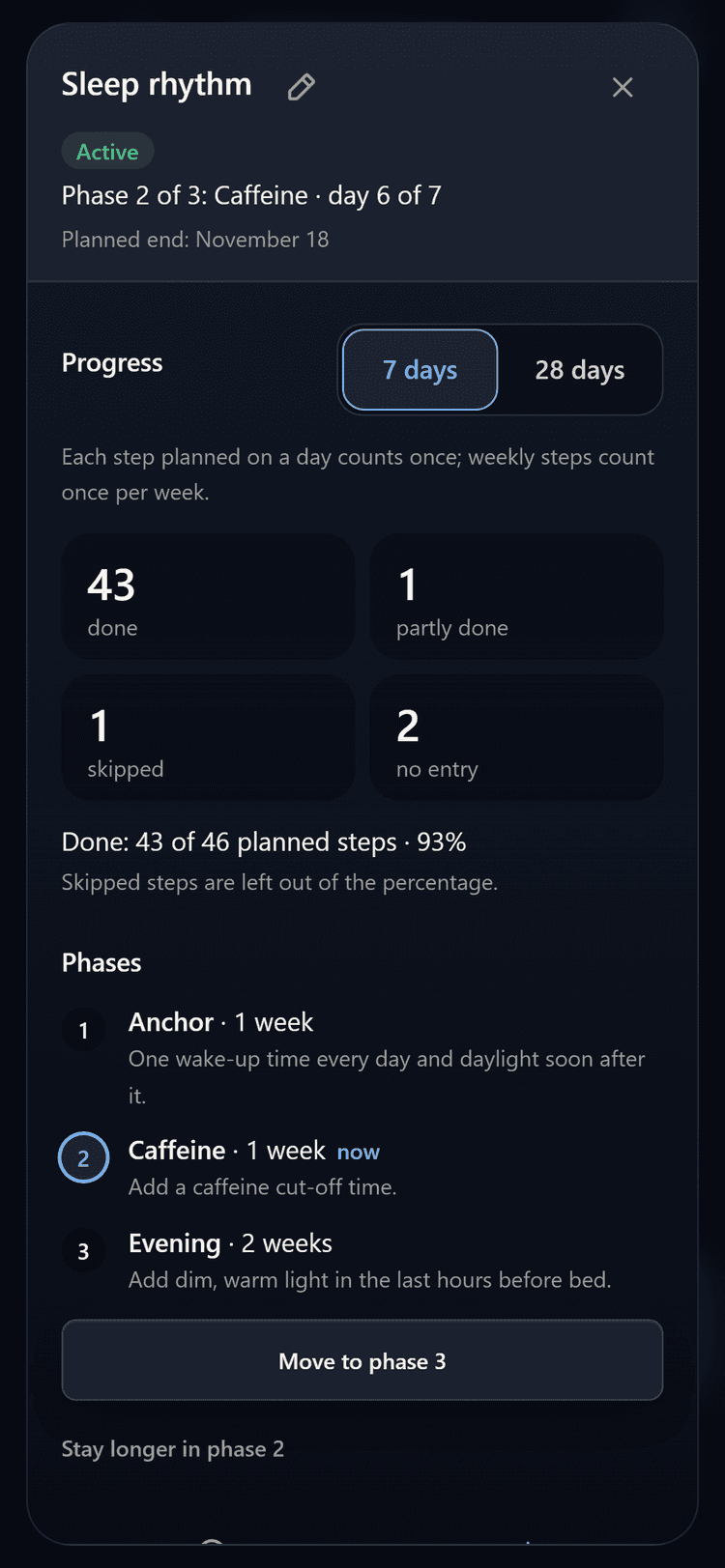
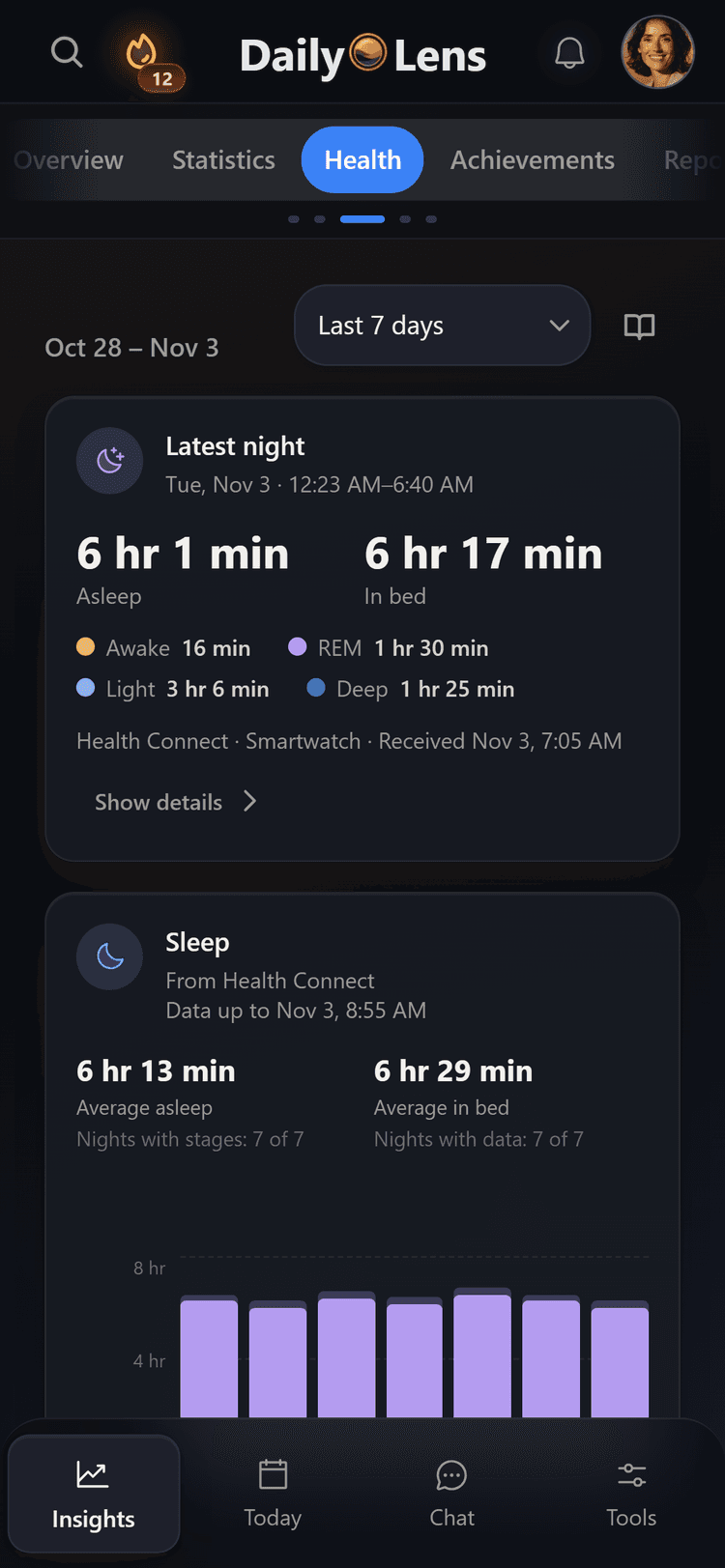
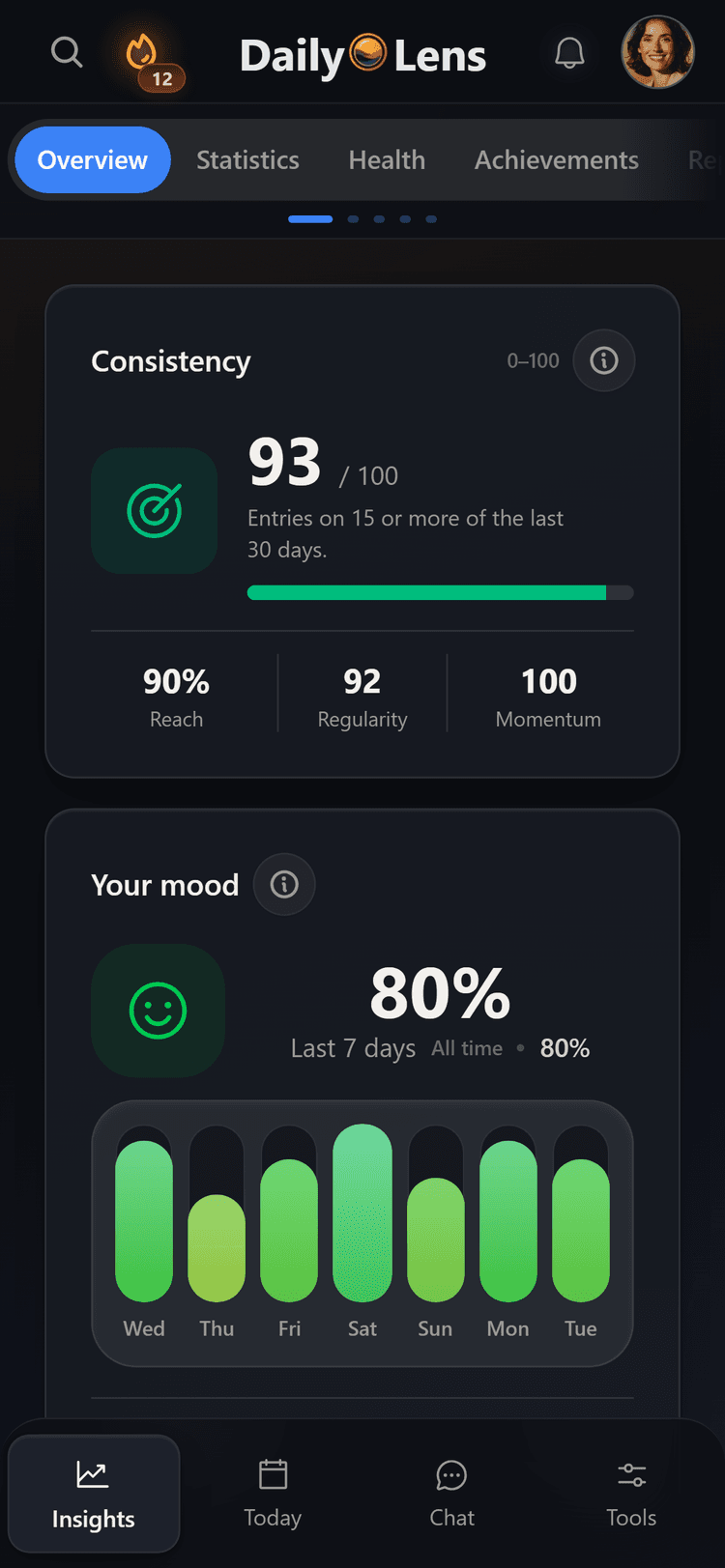
Three screens from a running protocol
Real screens from DailyLens: the protocol itself, the morning ratings and the look back.
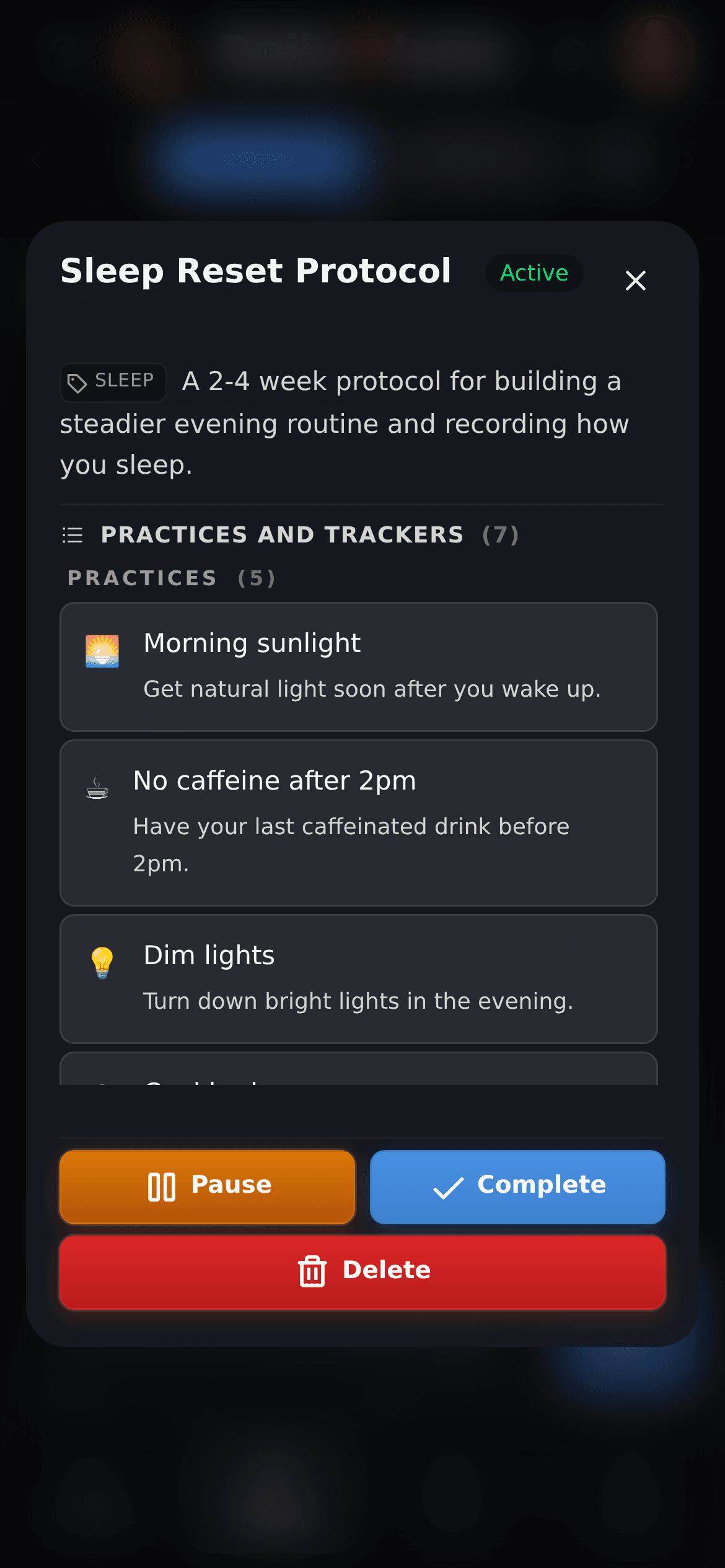
Protocol
Every practice and tracker is listed with a short description. Pause it, mark it complete or delete it when your test ends.
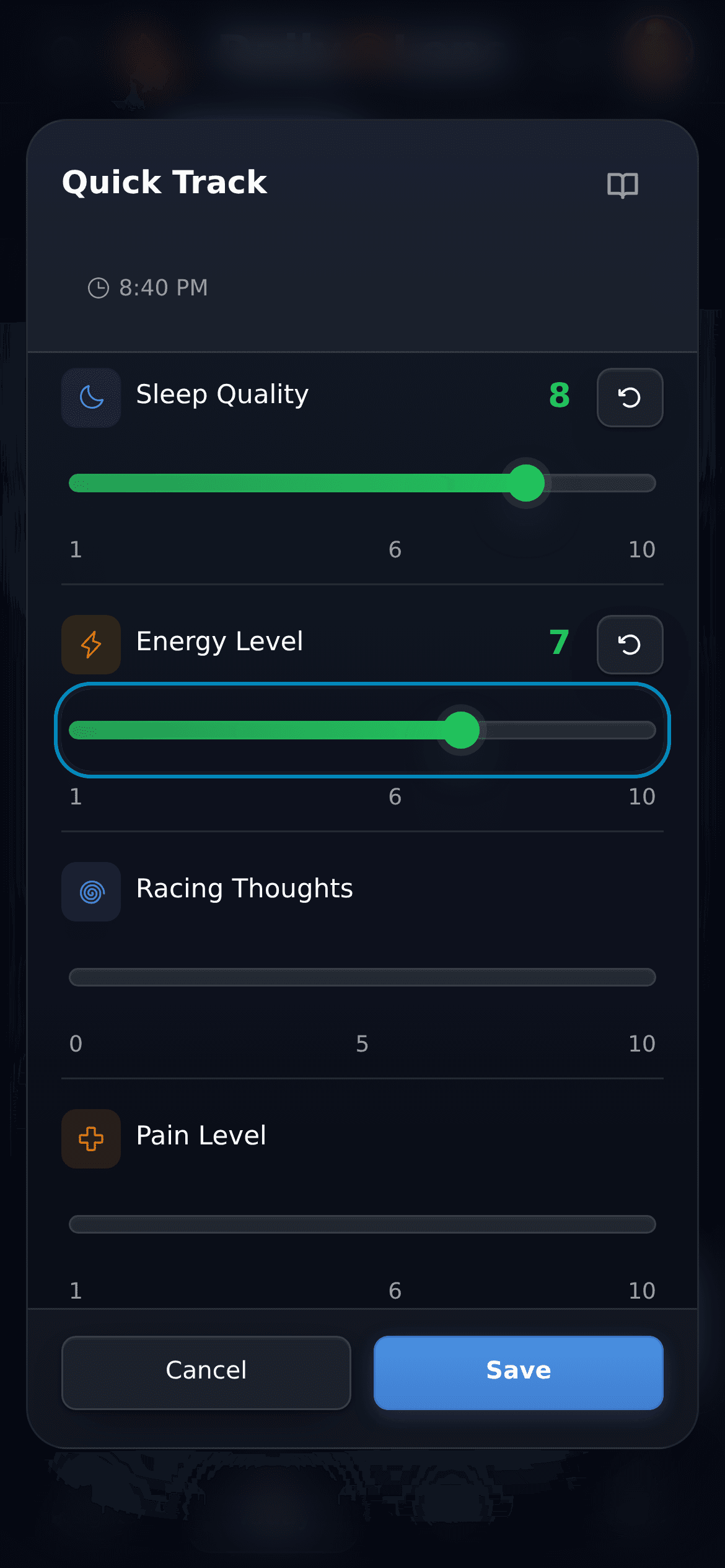
Quick Track
Rate sleep quality and energy on sliders from 1 to 10. More measures, such as racing thoughts or pain, sit below.
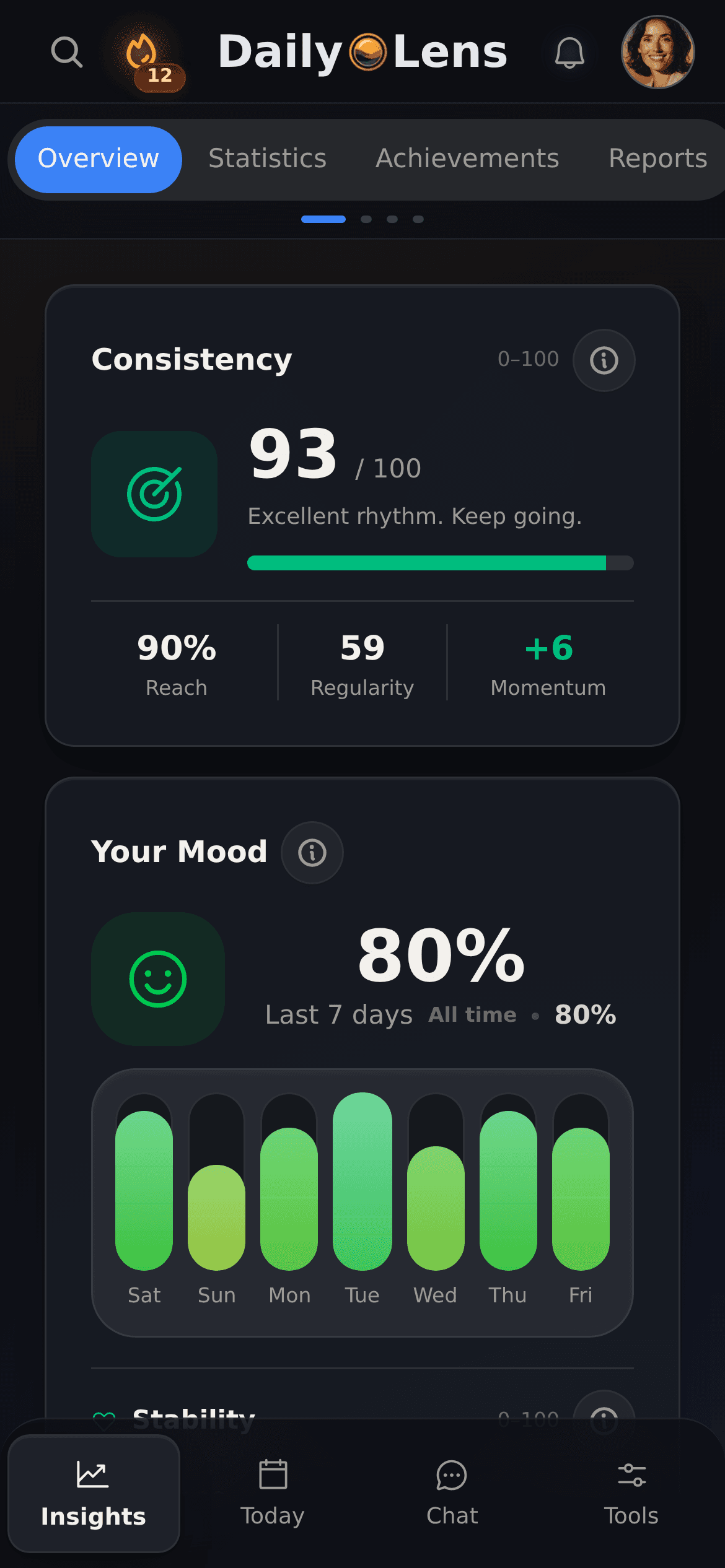
Insights
A consistency score with its parts and the mood you recorded over the last seven days. The Health tab holds Health Connect data from the Android app.
Clear boundaries
Your records, your conclusions
DailyLens shows what you logged and lines it up over time. It does not tell you what a supplement or protocol does for your body.
No dosing or medical advice
Descriptions in ready-made protocols are informational. Talk to a doctor before you start or change a supplement.
Side by side is not cause and effect
Two things on the same days do not prove that one caused the other. AI chat and reports describe your records; the judgment stays with you.
AI only where you use it
Transcription, voice analysis, reports and AI chat send the data they need to DailyLens servers and AI providers. AI chat applies a suggested change only after you approve it.
Free and Pro
The free plan covers writing and recording entries, ready-made protocols, Quick Track and one active goal; voice transcription and custom protocols are available with limits. AI chat, daily and weekly reports, voice analysis, meal logging and unlimited goals are part of Pro.
Further reading
Background for your next protocol
Articles on simple protocols, what to measure first and the protocols Andrew Huberman and Andy Galpin discuss.
Build a biohacking protocol that works on real days. Start with sleep, morning light, movement, and one nervous system reset before adding anything complex.
Track energy without drowning in data. Learn which signals to log first, how to spot real patterns, and turn self-tracking into clearer daily decisions.
Explore Andrew Huberman's sleep, morning light and fitness protocols, their evidence and limits, plus the September 15, 2026 release of Protocols.
Read article
Features
Journal, routines, and daily tracking in one app
Use each tool on its own or together with the others, on your phone or computer. Start with one and add more as you need them.
Voice notes
Speak instead of typing. Each recording is saved as a journal entry and transcribed in the background, within your plan's limits. Voice analysis is part of Pro.
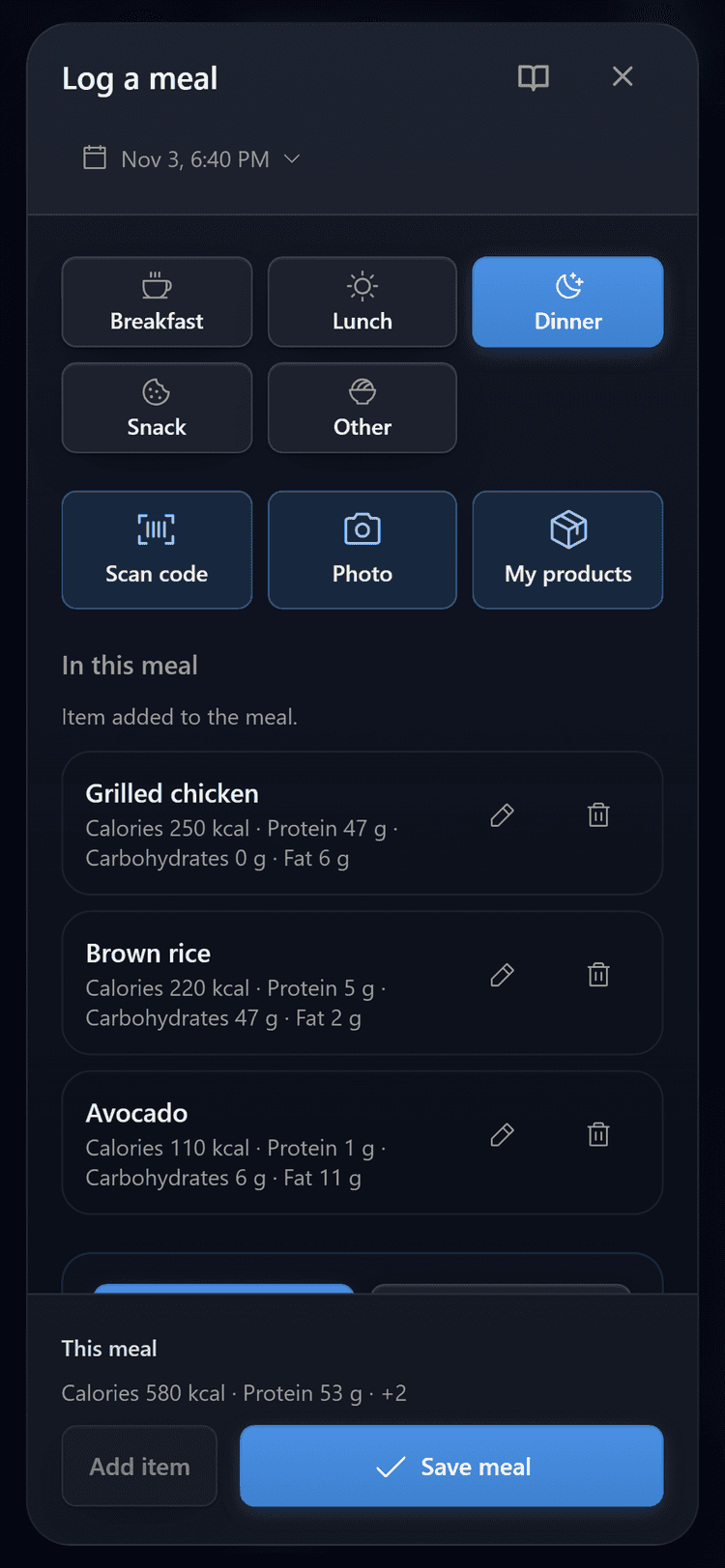
Add a meal by search, barcode, or a photo of your plate. From a photo, AI suggests the items and macros, and you check them before saving. Part of Pro.
Protocols
Start from a ready-made protocol, such as a sleep reset, or build your own with steps for specific times of day.
Yes. Add supplements such as magnesium, omega-3 or creatine as practices in a protocol and check them off on Today. DailyLens records whether you took them; it does not recommend doses.
Can I bring in data from my watch or fitness app?+
On Android, the DailyLens app reads sleep, workouts and steps from Health Connect, provided your watch or fitness app saves them there. You see them in Insights and on Today.
What does the AI do with my records?+
With Pro, AI chat answers questions about what you recorded, and daily and weekly reports summarize it. The AI describes your records. It does not decide what worked for you.
Is DailyLens a medical app?+
No. DailyLens is a journal and tracking app. It does not diagnose, prescribe or replace a doctor or other qualified professional.
Which features are included and how much does access cost?+
DailyLens has a free plan: you can write and record entries, follow ready-made protocols, use Quick Track and have one active goal; voice transcription and custom protocols are available with limits. Pro adds AI chat, daily and weekly reports, voice analysis, meal logging and unlimited goals. You see the Pro price before you pay.
Use cases
More ways to use DailyLens
One product, different starting points. Choose the topic closest to what you want to understand or improve.