


Journal app for voice notes and routines

Understand your day. Decide what to change.

DailyLens keeps voice and text entries, routines, protocols, and daily signals in one place, so you can review what changes over time and choose what to do next.

Start with one entry, routine, or signal. You decide what to record.

Your DailyLens flow

Capture. Apply. Review.

Kept in one place
  1. 08:10

    Capture

    Record what matters now

    Use voice, text, or a quick entry without organising everything first.

  2. 13:20

    Apply

    Use a short focus practice

    Follow a routine while it can still support the rest of your day.

  3. 18:05

    Review

    Check what came before the energy dip

    When enough context is available, AI-assisted review can surface possible patterns.

Possible pattern

Evening energy was often higher after a midday break.

An observation from your entries - not a score, diagnosis, or final answer.

Sample data · AI features depend on your plan and available context

How DailyLens works

Capture. Track. Act. Review.

Notes, measurements, meals, and routines go into one daily record. Come back to it when you want to see what is changing, and decide for yourself what comes next.

Record your day the way that suits you. 1 / 9
Real DailyLens interfacesample data shown

Review your day in context.

Start with one entry or signal. Add only the information that is useful to you; there is no need to document every part of the day.

Request access

Features

Journal, routines, and daily tracking in one app

Use each tool on its own or together with the others, on your phone or computer. Start with one and add more as you need them.

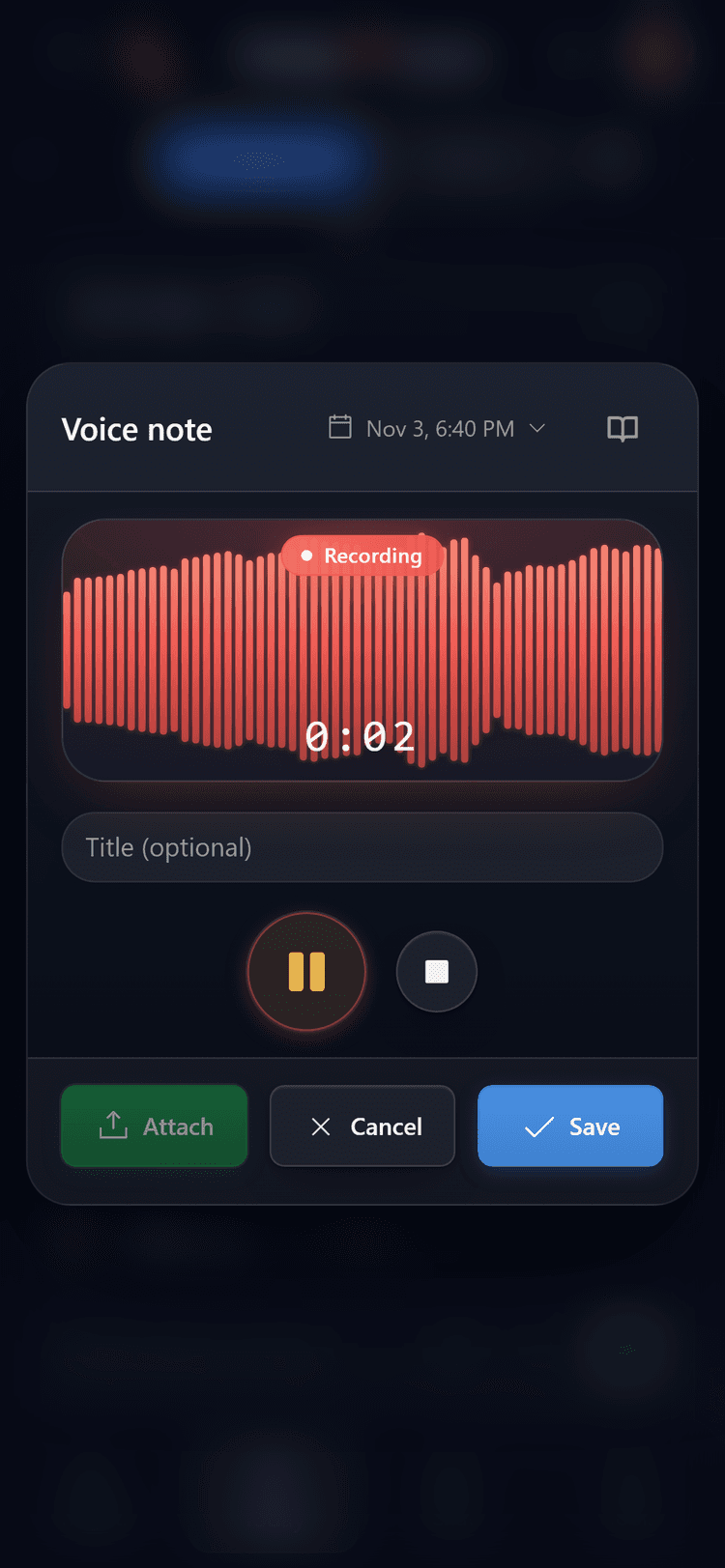
  • Voice notes

    Speak instead of typing. Each recording is saved as a journal entry and transcribed in the background, within your plan's limits. Voice analysis is part of Pro.

    Voice note recording screen in the DailyLens app
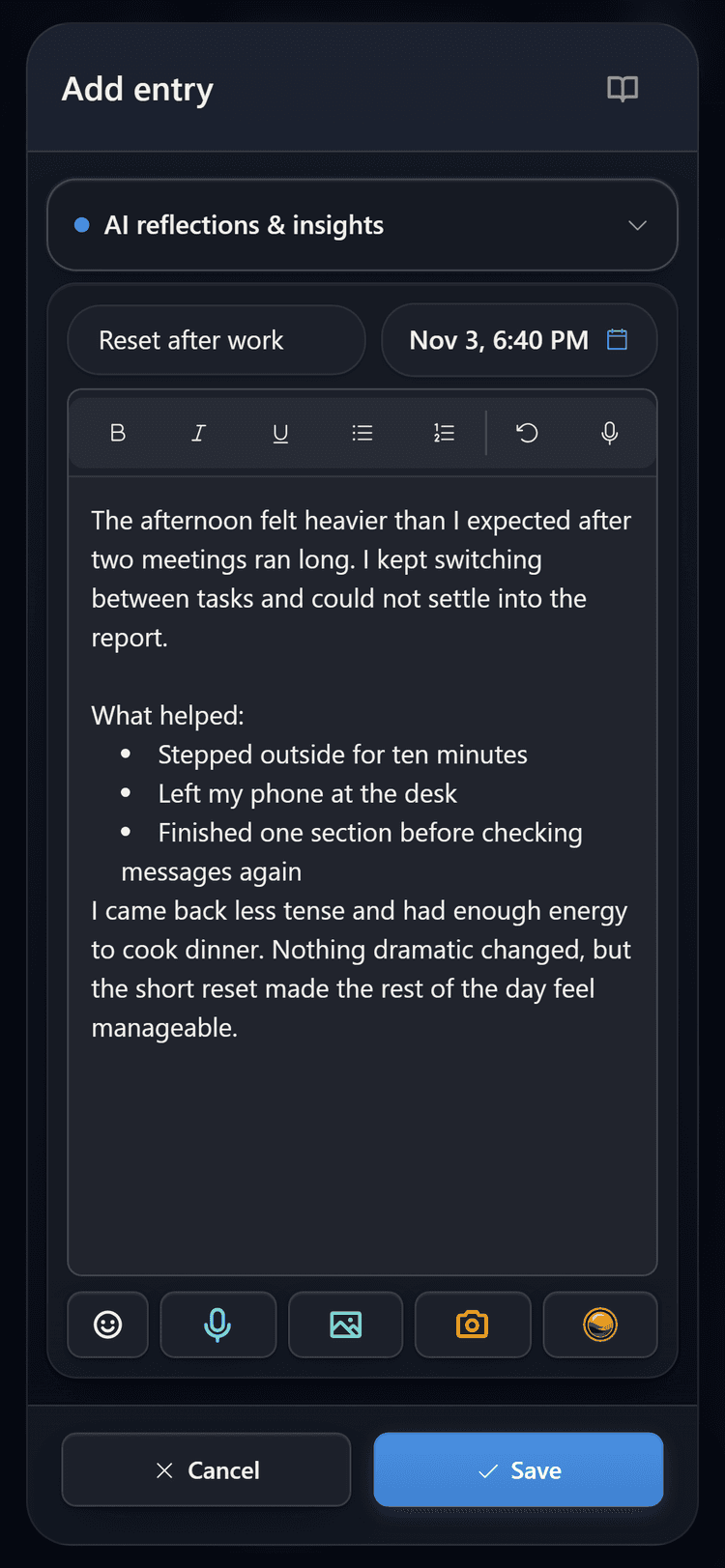
  • Written journal

    Write a few lines or a full formatted entry and add your mood. Text entries are saved on your device first and sync once you are online.

    Text entry editor in the DailyLens app
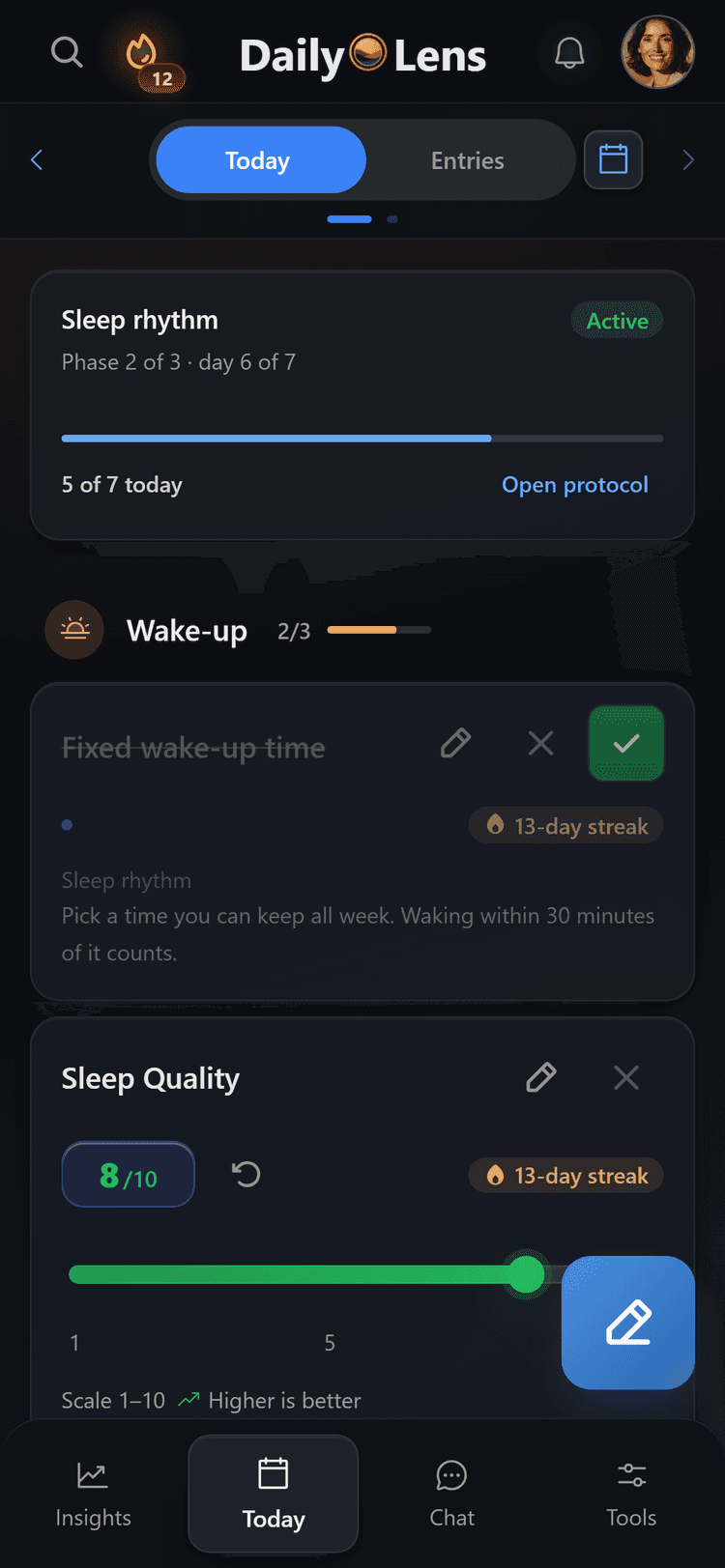
  • Routines and habits

    The Today tab groups your practices by time of day, from wake-up to bedtime. Mark each one done and see your protocol progress and streaks.

    Today screen with a sleep protocol and practices grouped by time of day
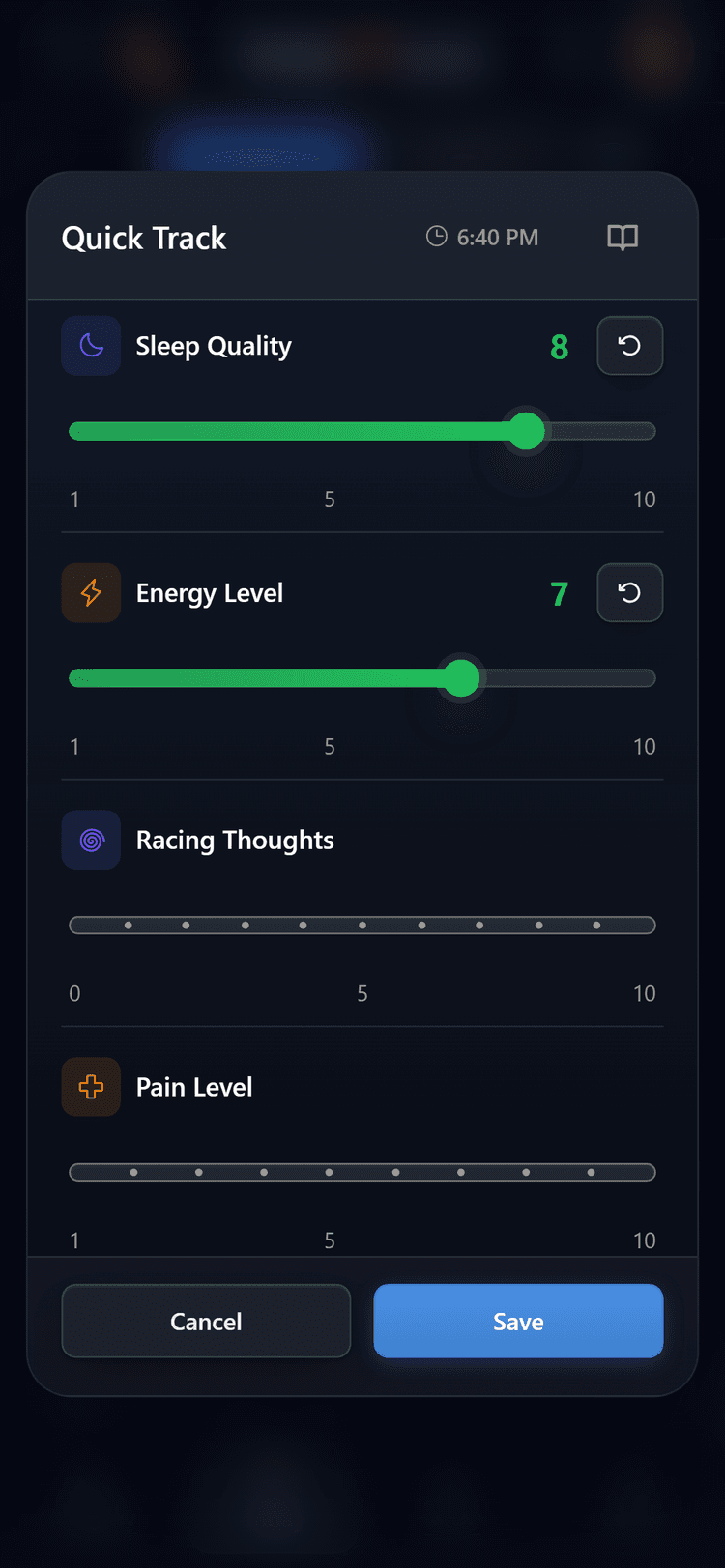
  • Quick tracking

    Open Quick Track from the + button and rate sleep quality, energy, or anything else you track in a few taps.

    Quick Track screen with sliders for sleep quality and energy
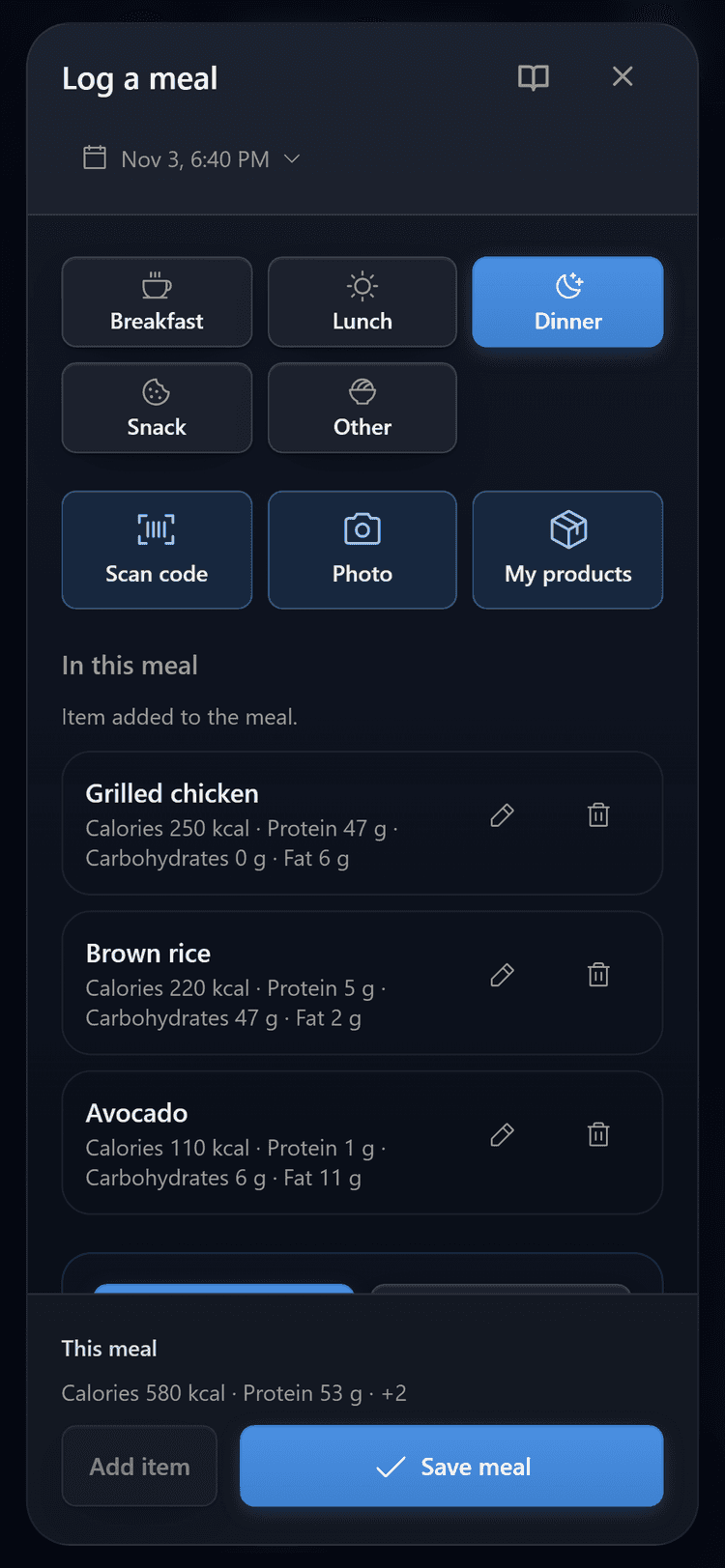
  • Meal logging

    Add a meal by search, barcode, or a photo of your plate. From a photo, AI suggests the items and macros, and you check them before saving. Part of Pro.

    Meal logging screen in the DailyLens app
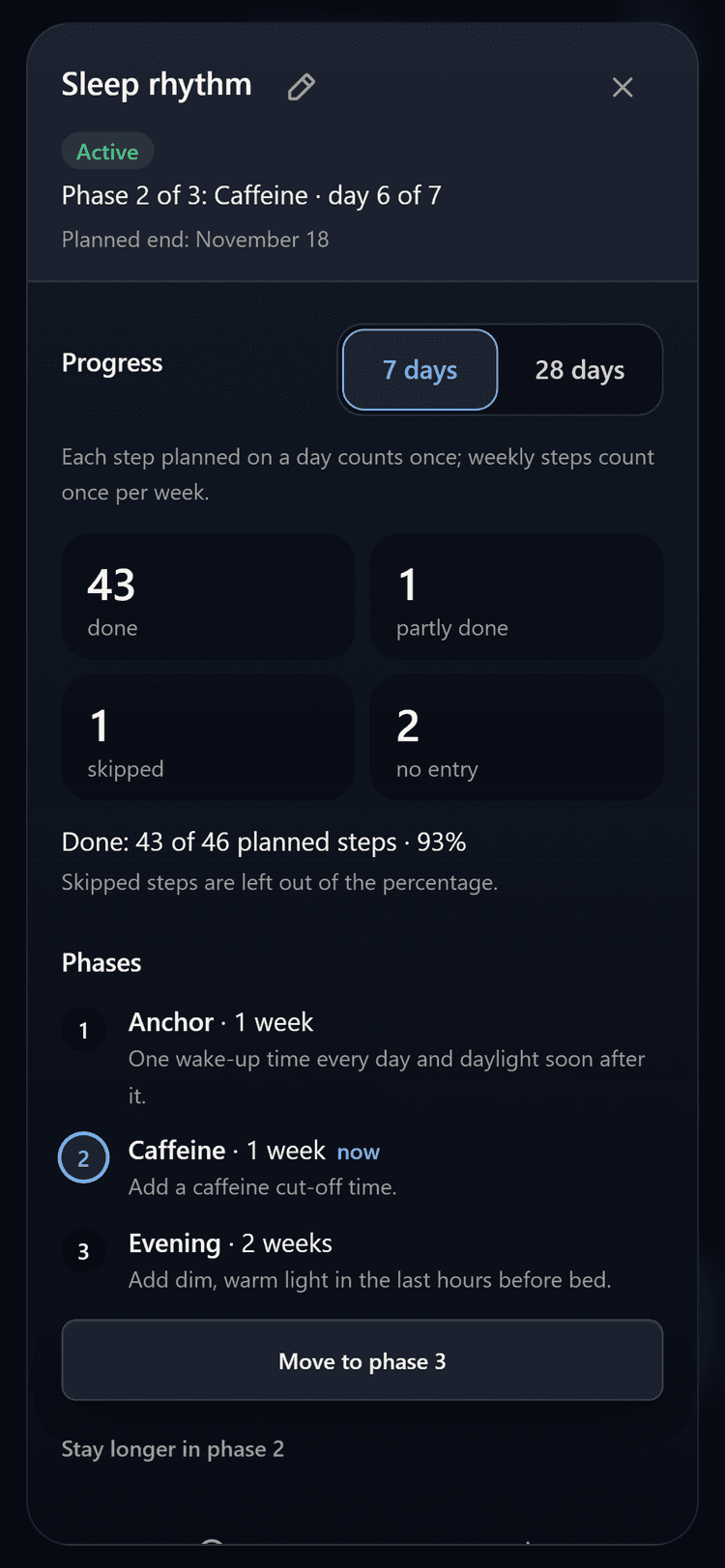
  • Protocols

    Start from a ready-made protocol, such as a sleep reset, or build your own with steps for specific times of day.

    Protocol management screen in the DailyLens app
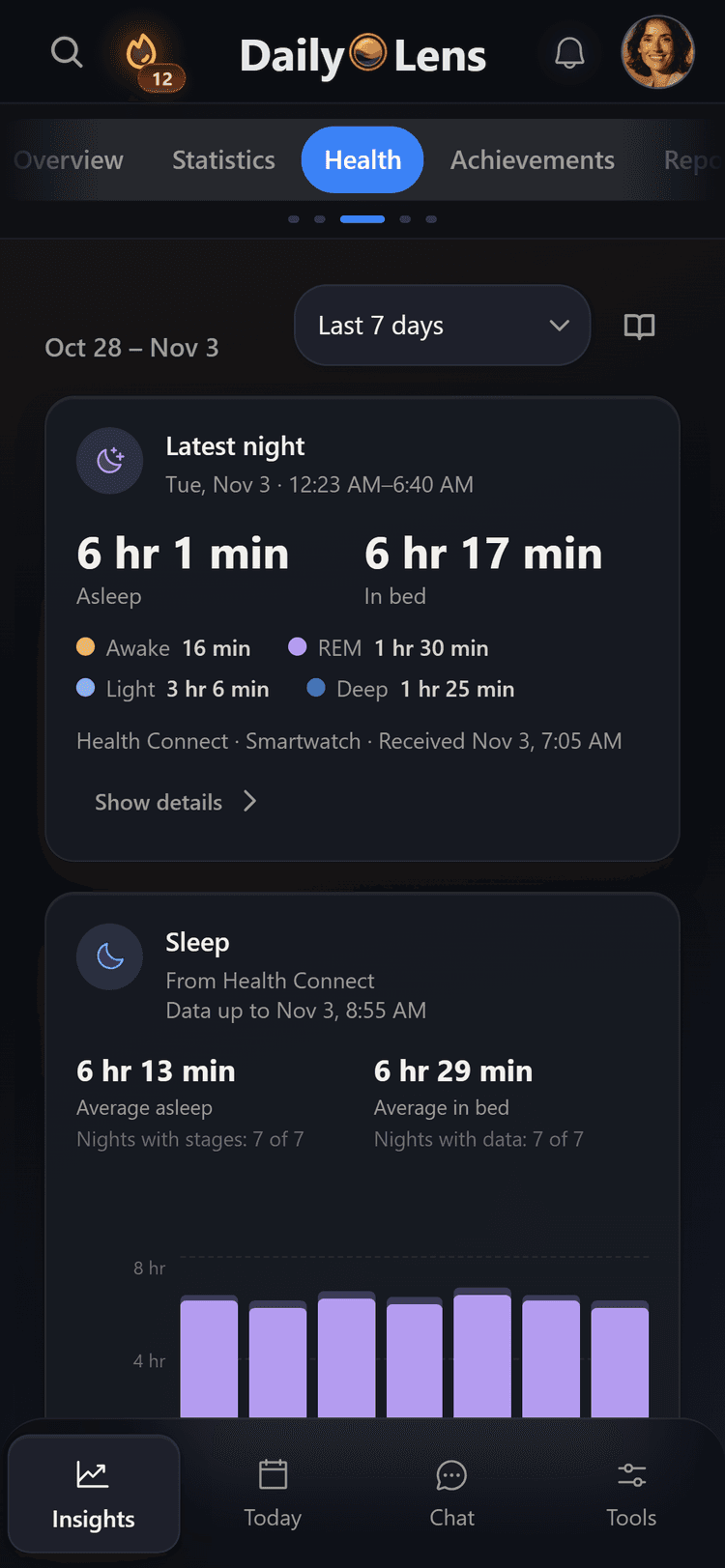
  • Health data from Android

    The DailyLens Android app reads sleep, steps, and workouts from Health Connect and shows them next to your entries.

    Health tab in the DailyLens app with last night's sleep and the past 7 days
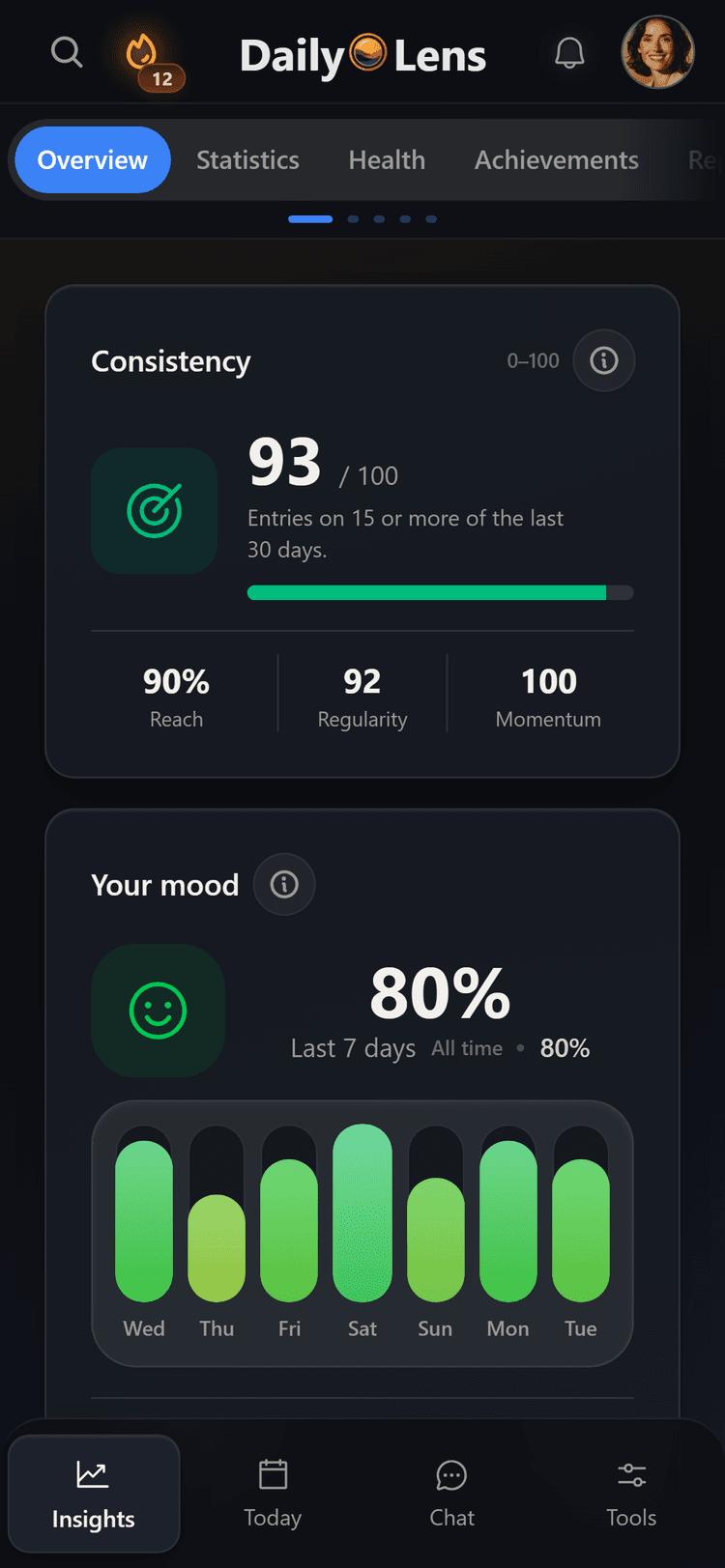
  • Insights and reports

    See your consistency, mood, and activity over recent days. On eligible plans, you also get daily and weekly reports on what you recorded.

    Insights screen with a consistency score and a weekly mood chart
  • AI chat

    Ask about your recent entries and routines. Suggested changes are applied only after you approve them.

  • Breathing exercises

    Follow box breathing, 4-7-8, or belly (diaphragmatic) breathing with on-screen guidance for each phase.

  • Reminders

    Get optional morning and evening reminders at times you choose.

  • Phone and computer

    Use DailyLens in your browser or install it on your phone or computer. You can write text entries offline.

Voice transcription and custom protocols have limits on the free plan. AI chat, reports, and voice analysis are part of Pro.

What DailyLens brings together

Review your day clearly and make informed changes

DailyLens keeps the information you choose to record in one workspace, so you can compare changes over time and decide what is worth adjusting.

Finish work with fewer open thoughts.

Record what is still unfinished before moving into the evening. A short voice note or guided practice can make that transition clearer.

Compare the conditions around easier and harder evenings.

Track routines, supplements, workload, energy, and other daily signals to see which conditions repeatedly occur together.

Keep related information in one workspace.

Journal entries, routines, protocols, and selected signals stay together instead of being distributed across separate apps and spreadsheets.

Resume routines without starting from zero.

Clear, adaptable steps make it easier to continue after an interruption without treating a missed day as failure.

Personal goals with DailyLens Pro

Set daily, weekly, or monthly targets for water, protein, calories, or other quantities you choose to track. Reuse saved portions and meals, add entries, and see your progress on the home screen.

For demanding schedules

Useful across work, family life, and leadership.

Designed from direct experience

Created when existing tools became another task

While leading a team with significant responsibility and raising two young children, I increasingly reached the evening without the attention I wanted for my family or myself.

I tracked sleep, routines, supplements, and energy in Notion. The templates grew faster than my understanding, and maintaining them became another task.

DailyLens began as a way to record the day quickly, keep related information together, and see which small routines remained useful under pressure.

  • Recording the day should take seconds, not become another task.
  • Related information should remain together without manual spreadsheet work.
  • AI can highlight a possible pattern. You decide how to interpret and use it.

I built DailyLens for days when there was no time or attention left for a complicated system.

Before you begin

Common questions

Essential information about using DailyLens, available features, and data protection.

View all questions
Is DailyLens more than a habit tracker?

Yes. DailyLens brings voice and text entries, routines, protocols, personal tracking, and guided resets into one place. Eligible plans can also use AI-assisted chat and reports to review recorded context.

Can I use DailyLens in only a few minutes a day?

Yes. In a few minutes you can capture a voice or text entry, log a practice, or record one daily signal. Reports and AI-assisted insights need enough context and may depend on your plan.

Can I speak instead of writing?

Yes. You can create an entry by voice instead of typing. Transcription runs in the background, within your plan's limits. AI-assisted voice analysis is part of Pro.

How does DailyLens protect my data?

Access to personal data is scoped to your account and permissions. Privacy, consent, and user control are treated as product requirements.

How do I get started?

Start with one entry, routine, or signal you want to track. DailyLens becomes more useful as you add relevant information over time, and you decide what to review or change.

Request an invitation to the phased rollout

Request access

Make room for the rest of your day

Keep track of what gives and takes energy across your day.

Record what matters, review recurring conditions, and choose an adjustment that is realistic on a demanding day.

Explore by topic

Go deeper on the parts of your day that matter

Choose a topic, then explore a focused DailyLens guide or the relevant product feature.

Browse all articles

Low energy after work

Rate how you feel when you get home, add a short voice note about the day and compare your evenings in Insights.

Explore energy after work

Biohacking and self-experiments

Log the protocol and supplements you are testing, rate sleep and energy, and see each rating next to the practices you checked off that day.

Explore the biohacking app

ADHD and AuDHD

Say a thought out loud in a voice note, keep a few small routines and look back later at what you recorded.

Explore the ADHD and AuDHD app

Journaling out loud or in writing

Record or type an entry, even offline. With Pro, AI chat, voice analysis and reports work from what you wrote and said.

Explore the AI journal app

Habits and routines

Check off what you did each day, follow your streaks and keep that day's notes and ratings right beside them.

Explore the habit tracker app

Morning, sleep and focus protocols

Start from a ready-made template or build your own steps, then check each one off on Today as you go.

Explore the protocol tracker app