

A family day in DailyLens
Short moments that fit around the family
A day might include a rating in the morning, a note on the way home and a short evening routine.
- Morning
- Sleep rating
- On the way home
- Voice note
- Bedtime
- Evening routine
For parents · Short entries · Realistic routines
Record the day in a short voice note or a few lines, keep two or three routines that fit real family days, and rate your sleep and energy when you have a moment. Everything stays in one place for when you want to look back.
A family day in DailyLens
A day might include a rating in the morning, a note on the way home and a short evening routine.
Where it fits
Parents rarely have half an hour for a journal. DailyLens is built around entries that take a minute.
Record a voice note on the way to pick up the kids or after they are asleep. It is saved as an entry you can read or listen to later.
Rate sleep quality and energy after waking. Over a few weeks, you can see how often you rated your sleep low and what you recorded on those days.
Plan a few practices for set times of day. The Today tab shows what is planned, so you can mark what you managed and leave the rest.
How a week looks
Start with very little and add more only if it helps.
Step 1 · Set up
For example, daylight in the morning, a short walk or an hour without screens before bed.
Step 2 · Record
A voice note, a few lines or two ratings from the + button. Text entries also work offline.
Step 3 · Follow
The Today tab groups practices from wake-up to bedtime and shows your progress and streaks.
Step 4 · Review
Insights shows consistency and mood over recent days. On Pro, weekly reports summarise what you recorded.
Inside the app
Real screens from the app: your routines for the day, a quick voice note and sleep and energy ratings.
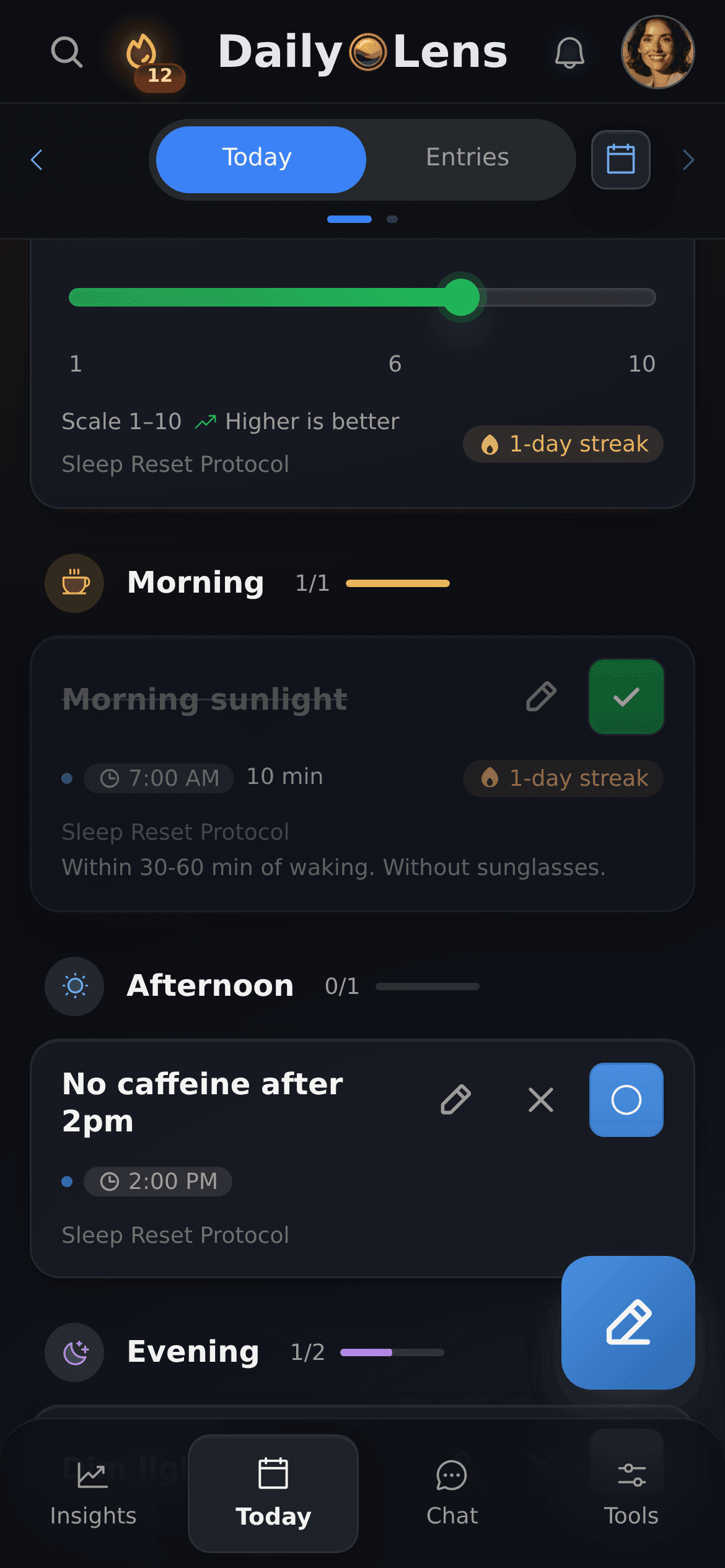
Your practices grouped by time of day, from wake-up to bedtime.
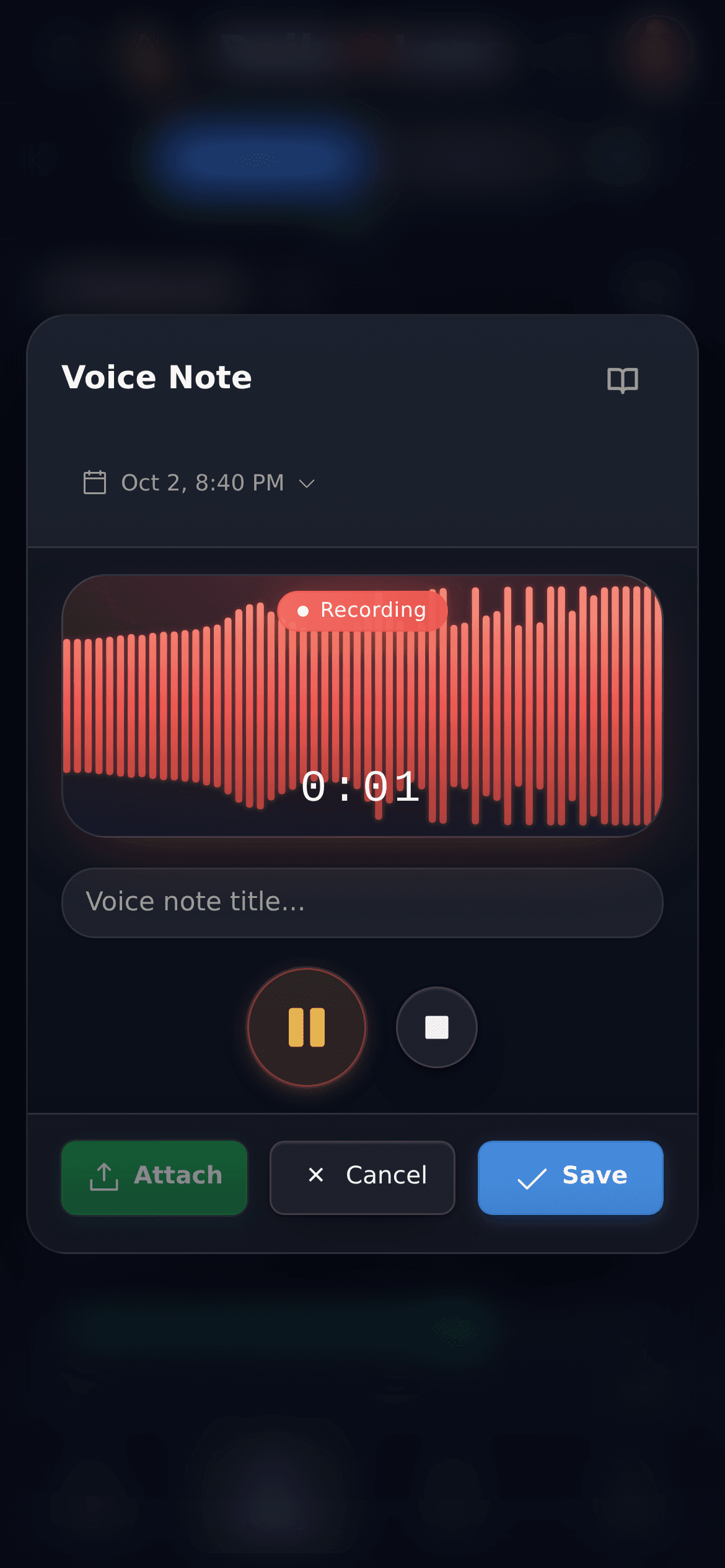
Speak instead of typing when your hands are full.
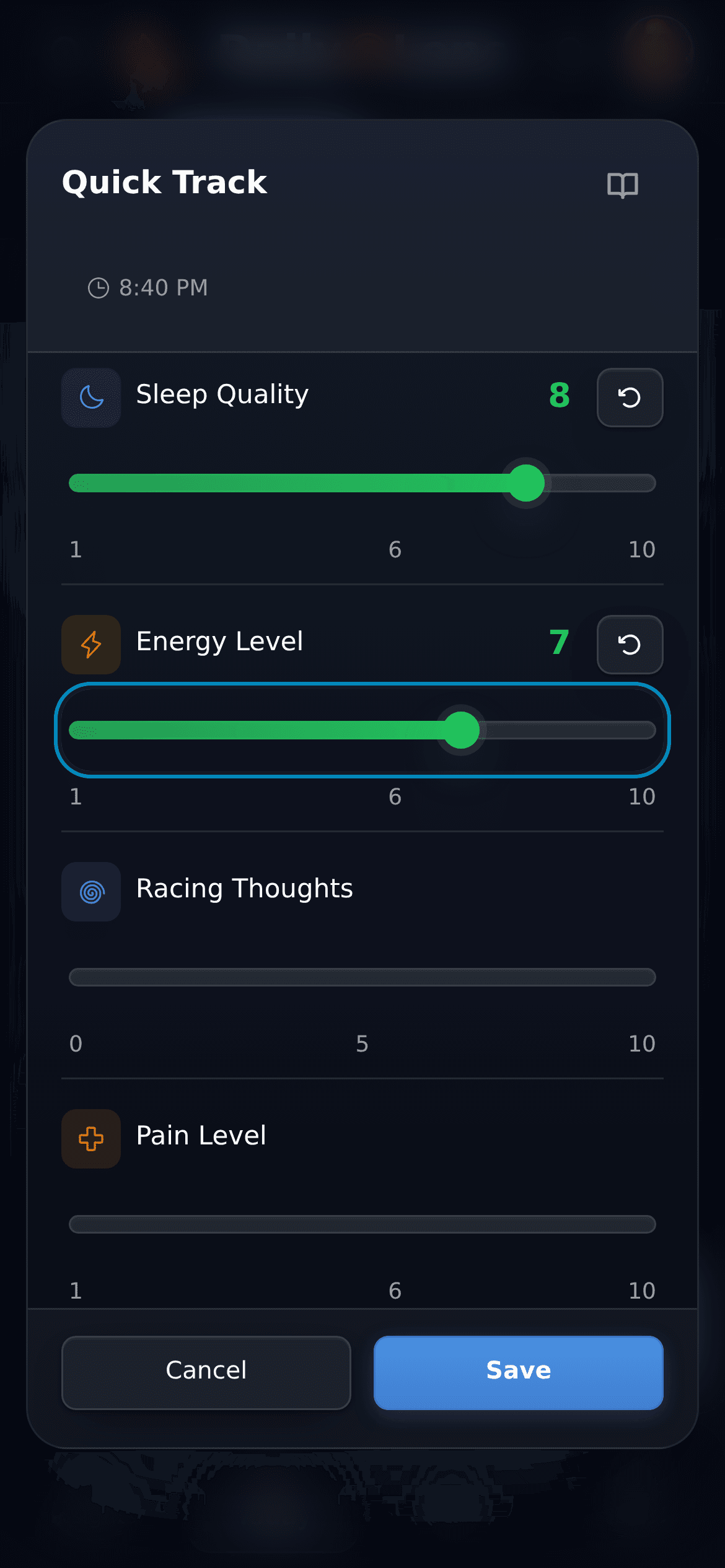
Rate sleep quality and energy in a few taps.
Clear boundaries
DailyLens shows what you recorded. It does not judge how you parent, diagnose or give medical advice.
Days without entries simply stay empty. You decide when DailyLens is useful.
Text entries are saved locally first, so you can write offline. They sync to your account when you are signed in and online.
Transcription, voice analysis, reports and AI chat send the data they need to DailyLens servers and AI providers. AI chat applies a suggested change only after you approve it.
The free plan covers writing and recording entries, ready-made protocols and Quick Track, with limits on voice transcription and custom protocols. AI chat, daily and weekly reports, voice analysis and personal goals are part of Pro.
Further reading
Articles on short evening routines, quick journaling and small habits that survive busy weeks.
Psychology & Growth
Practical strategies to overcome the 6 PM wall - that exhausting transition from work to personal life. Learn how to build transition rituals, design your evening environment, redefine productivity for low-energy hours, and protect tomorrow's energy through simple, tested practices that actually work.
Psychology & Growth
Discover how a simple 10-minute evening planning ritual can cut procrastination by 30% and boost focus, energy, and performance. Backed by habit science, this guide offers practical protocols and a journaling template to help you start tonight.
Psychology & Growth
What if you could build a more resilient mind, enhance your focus, and achieve radical clarity in just ten minutes a day? That's the promise of daily journaling, a practice leveraged by world-class performers and longevity experts. Far from a simple diary, it's a strategic tool for managing stress and programming your mind for success. Here, we’ll explore the scientific evidence and deliver actionable protocols to help you harness this ancient habit as a modern advantage.
Mindfulness & Meditation
In the high-stakes world of professionals and performance enthusiasts, chronic stress can derail even the sharpest minds. But what if you could reset from a "fight or flight" state to one of deep focus and recovery in just minutes?
Features
Use each tool on its own or together with the others, on your phone or computer. Start with one and add more as you need them.
Speak instead of typing. Each recording is saved as a journal entry and transcribed in the background, within your plan's limits. Voice analysis is part of Pro.
Related: ADHD and focus supportWrite a few lines or a full formatted entry and add your mood. Text entries are saved on your device first and sync once you are online.
Related: AI journal app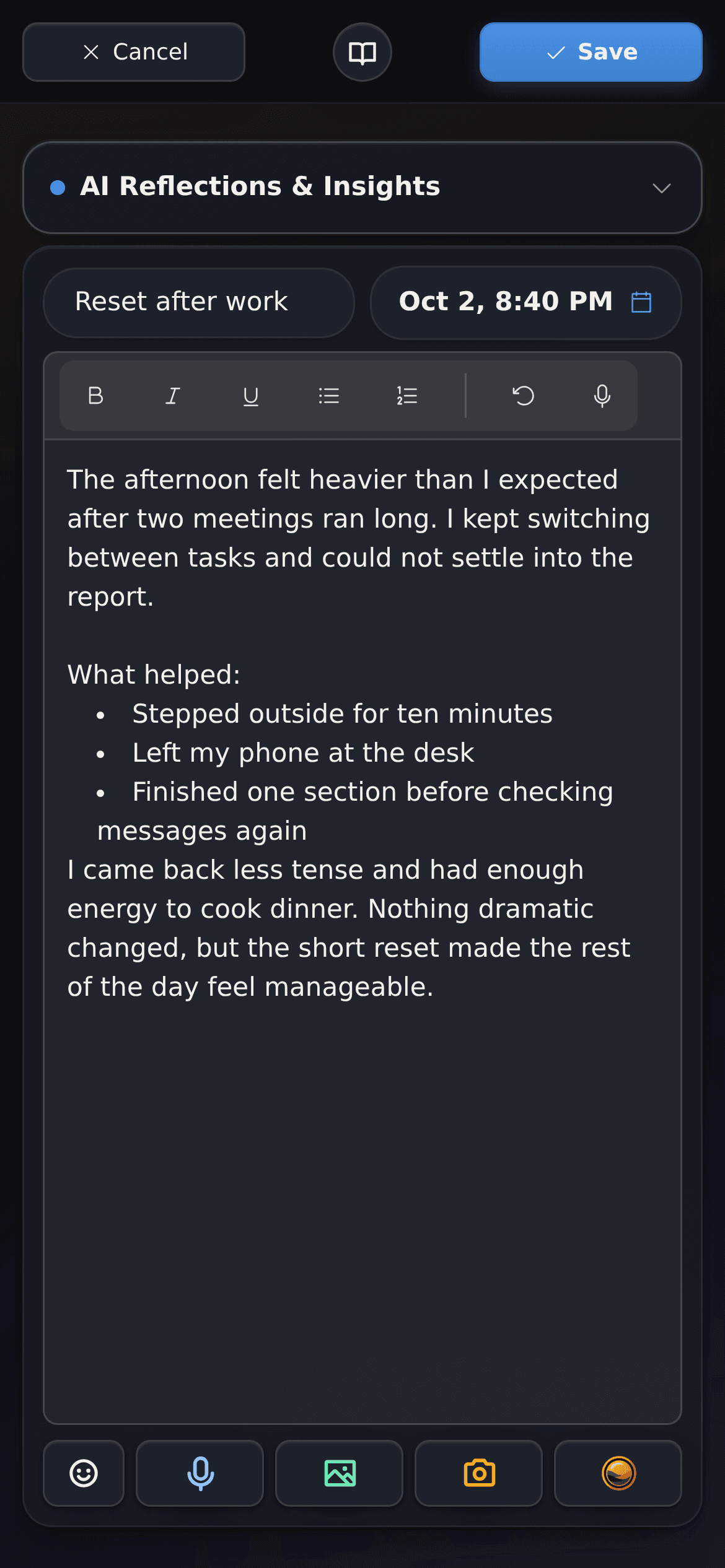
The Today tab groups your practices by time of day, from wake-up to bedtime. Mark each one done and see your protocol progress and streaks.
Related: Habit tracker appOpen Quick Track from the + button and rate sleep quality, energy, or anything else you track in a few taps.
Related: More energy after workStart from a ready-made protocol, such as a sleep reset, or build your own with steps for specific times of day.
Related: Protocol tracker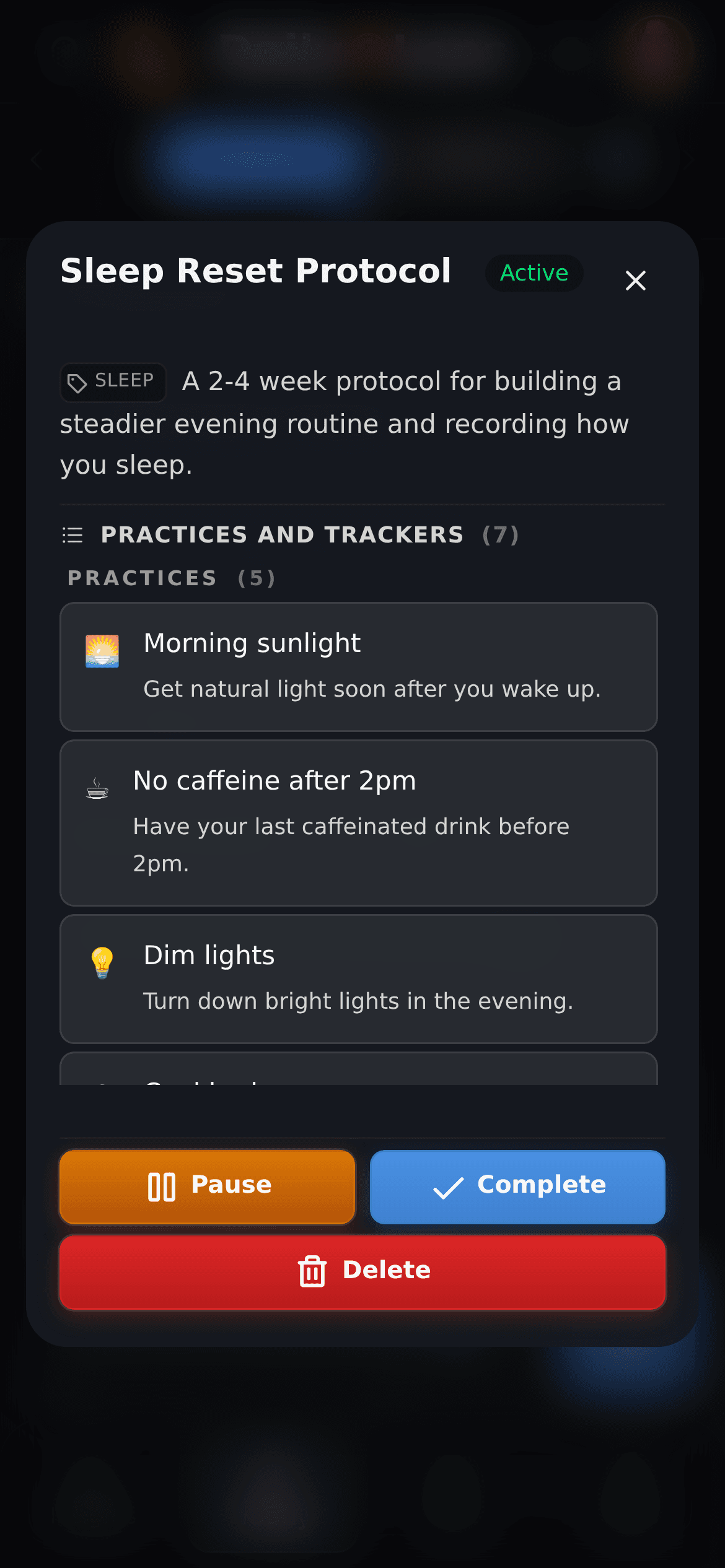
See your consistency, mood, and activity over recent days. On eligible plans, you also get daily and weekly reports on what you recorded.
Related: Biohacking and performance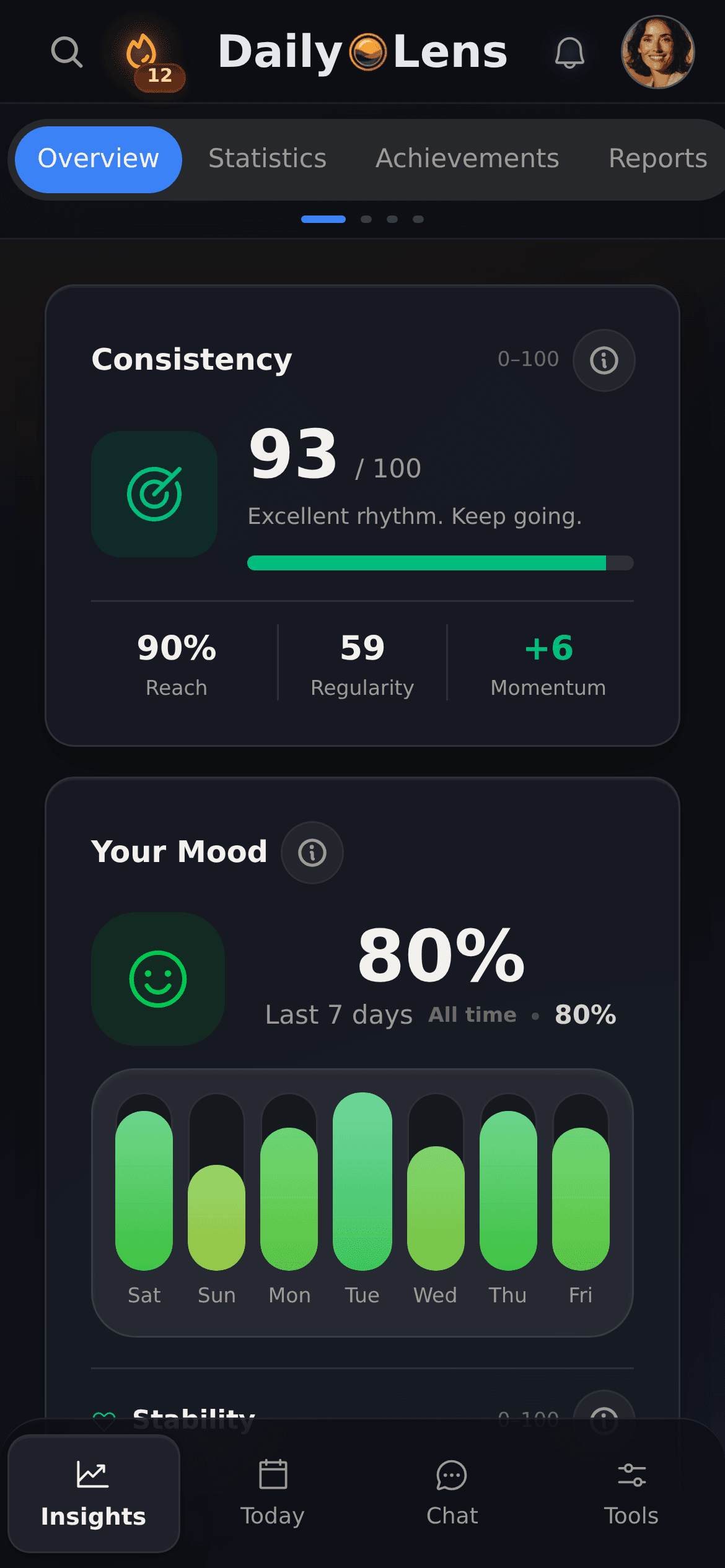
Ask about your recent entries and routines. Suggested changes are applied only after you approve them.
Follow box breathing, 4-7-8, or belly (diaphragmatic) breathing with on-screen guidance for each phase.
Get optional morning and evening reminders at times you choose.
Use DailyLens in your browser or install it on your phone or computer. You can write text entries offline.
Voice transcription and custom protocols have limits on the free plan. AI chat, reports, and voice analysis are part of Pro.
One product, different starting points. Choose the topic closest to what you want to understand or improve.
Track repeatable protocols and supplements alongside how your day actually went.
For adults who find task initiation, lost threads, or overstimulation difficult to manage.
Review recent entries with AI assistance when your plan and recorded context support it.
See routines alongside what you wrote about the day, including what changed when a routine was missed.
Use short practices and recovery routines, then review what tended to drain or support your energy.
Organise morning, sleep, and focus protocols into clear steps and schedules, then record what changed.
Start small
Record how the day went in half a minute and see what the week looks like in a few days.