For professionals · Voice and text · Small routines
Note the loose ends before you log off
Record what is still on your mind in a short voice note or a few lines of text. Rate energy, focus and stress in a few taps, and keep the small routines you chose for your workday in one place you can review later.
Speak or type the open threads before you switch off.
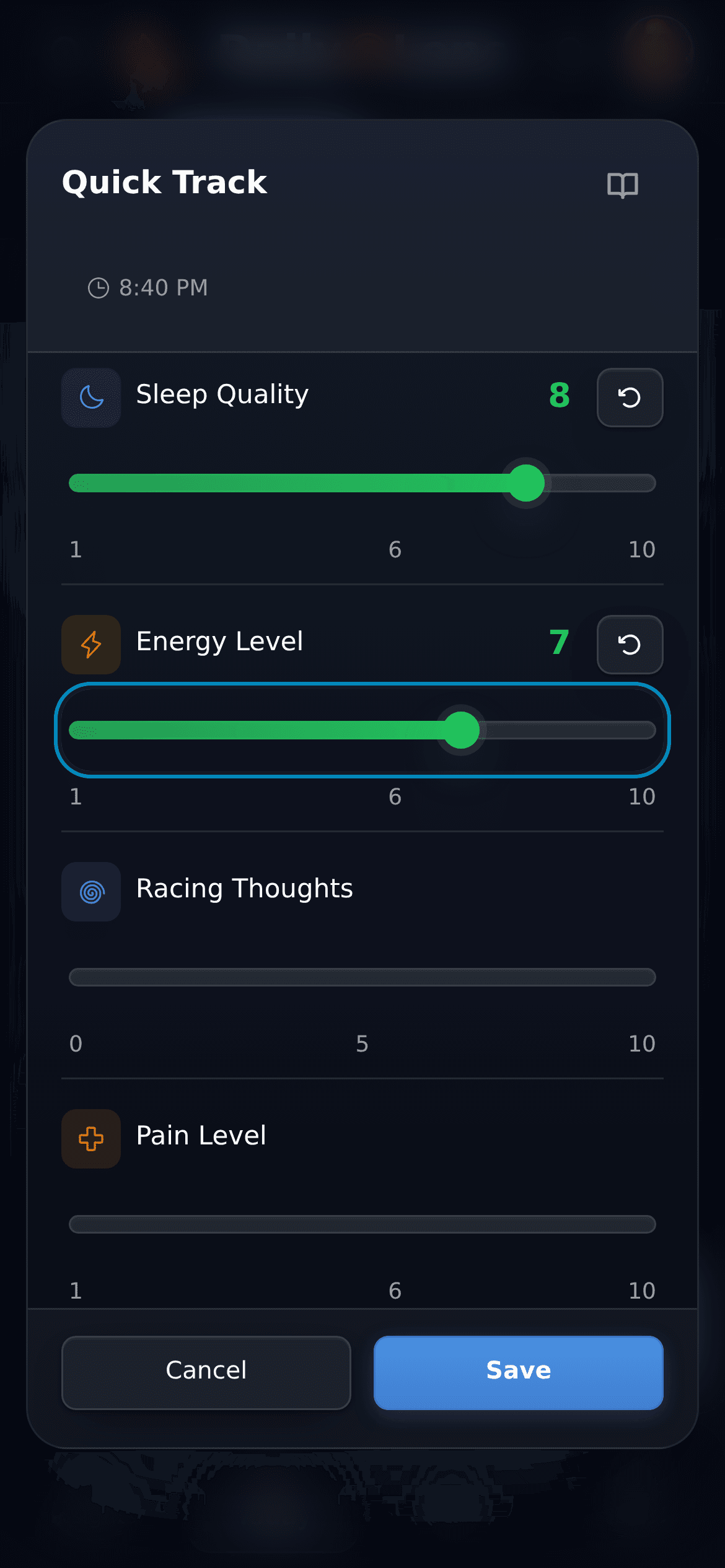
Rate energy, focus and stress in a few taps with Quick Track.
Look back at your week in Insights, with reports on Pro.
A workday in DailyLens
Three short moments, not another system
A typical day might have three short moments: a morning routine, a voice note after work and ratings in the evening.
Morning
Wake-up routine
After work
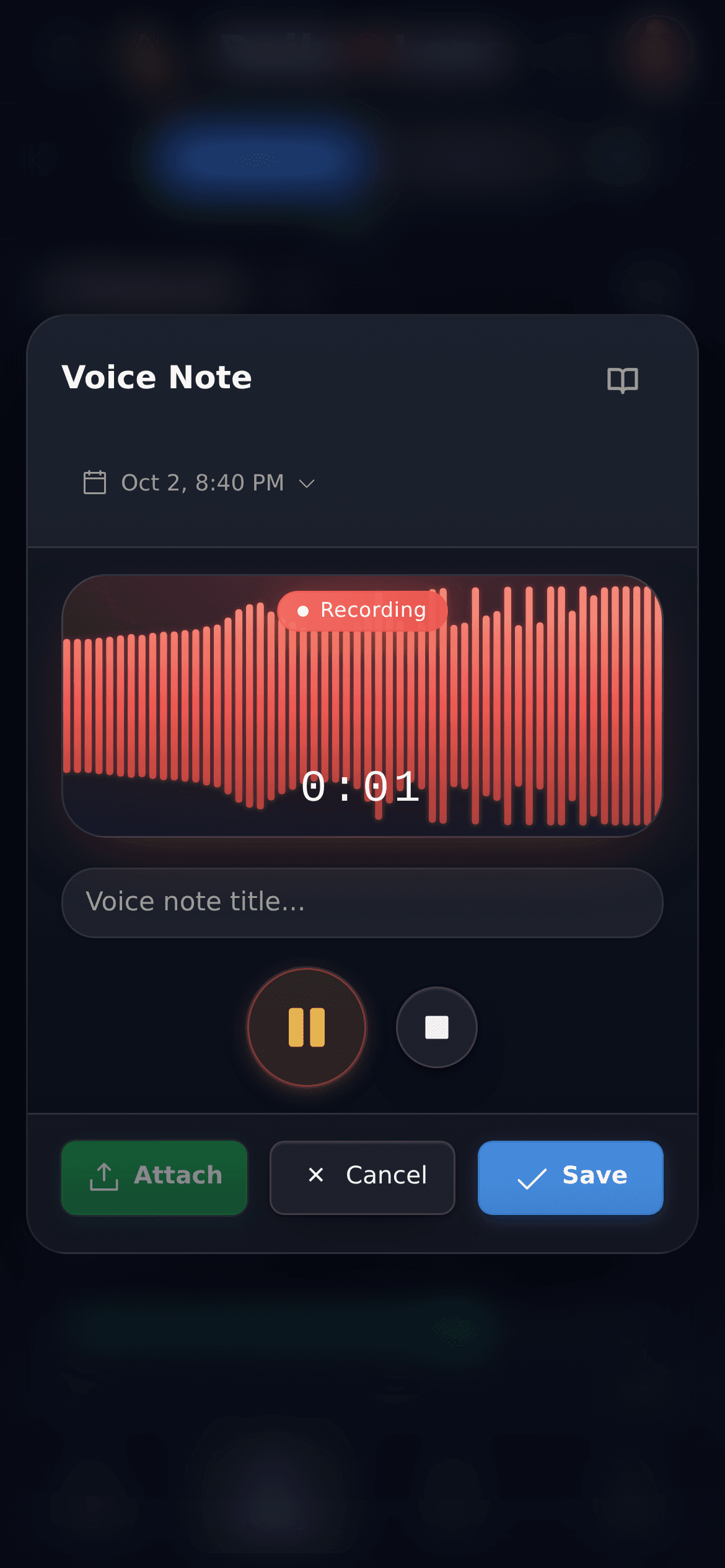
Voice note, 30 seconds
Evening
Energy and focus ratings
Where it fits
Made for workdays that do not go to plan
DailyLens does not ask you to keep a perfect journal. It gives you a quick way to record the typical moments of a busy day.
/ 01
Ideas arrive between meetings
Open DailyLens, speak for half a minute and get back to work. The recording is saved as a journal entry; transcription runs in the background within your plan's limits.
/ 02
Energy drops in the afternoon
Rate energy and focus when you notice the change. After a few weeks, you can look back at the ratings alongside the routines you kept.
/ 03
The evening starts at the laptop
Add a short after-work practice, such as a walk or a breathing exercise, and mark it done in Today when the workday ends.
How a week looks
From the first note to a weekly review
Four steps that take minutes a day. You choose what to record; DailyLens keeps it together.
Step 1 · Set up
01
Pick a starting point
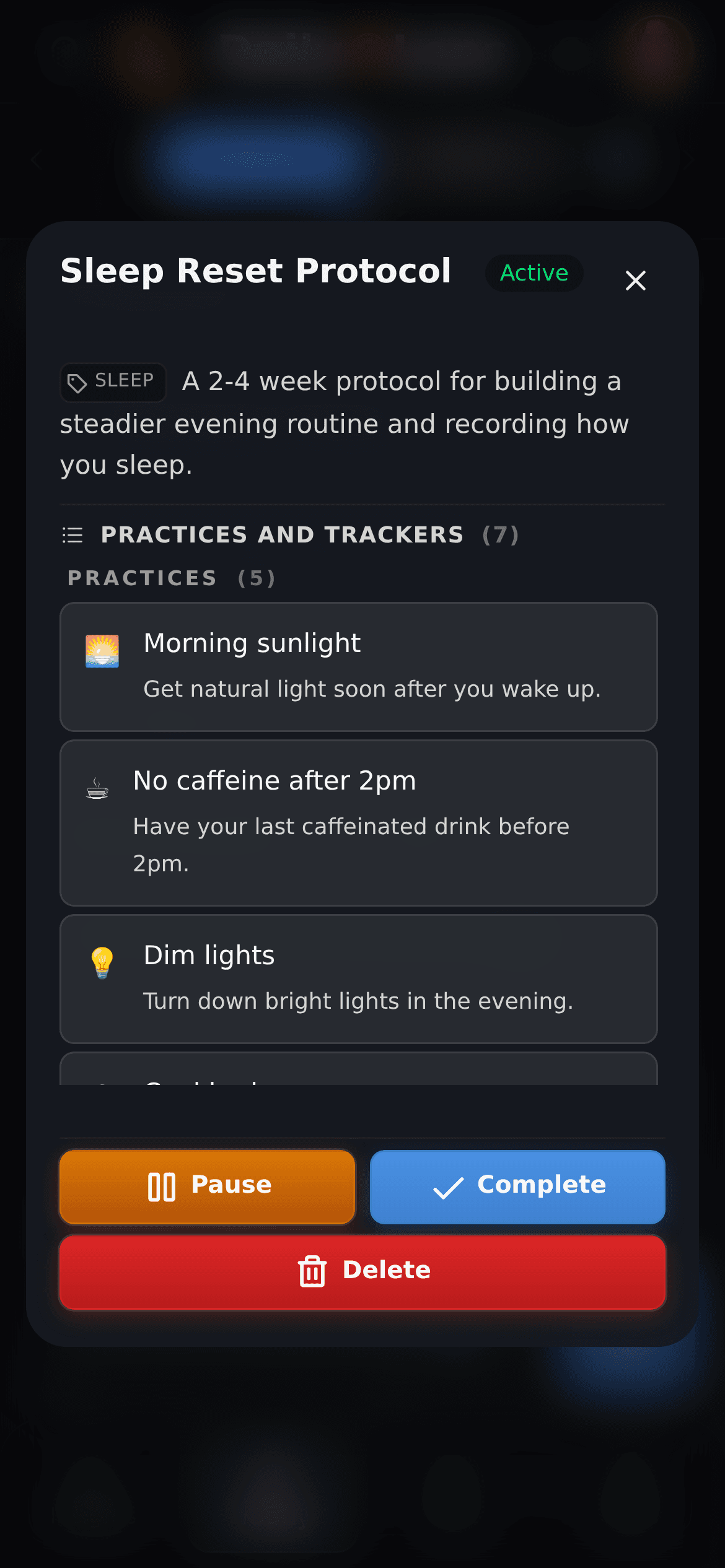
Start with a ready-made protocol, such as the sleep reset, or add two or three practices of your own at set times of day.
Step 2 · Record
02
Record in seconds
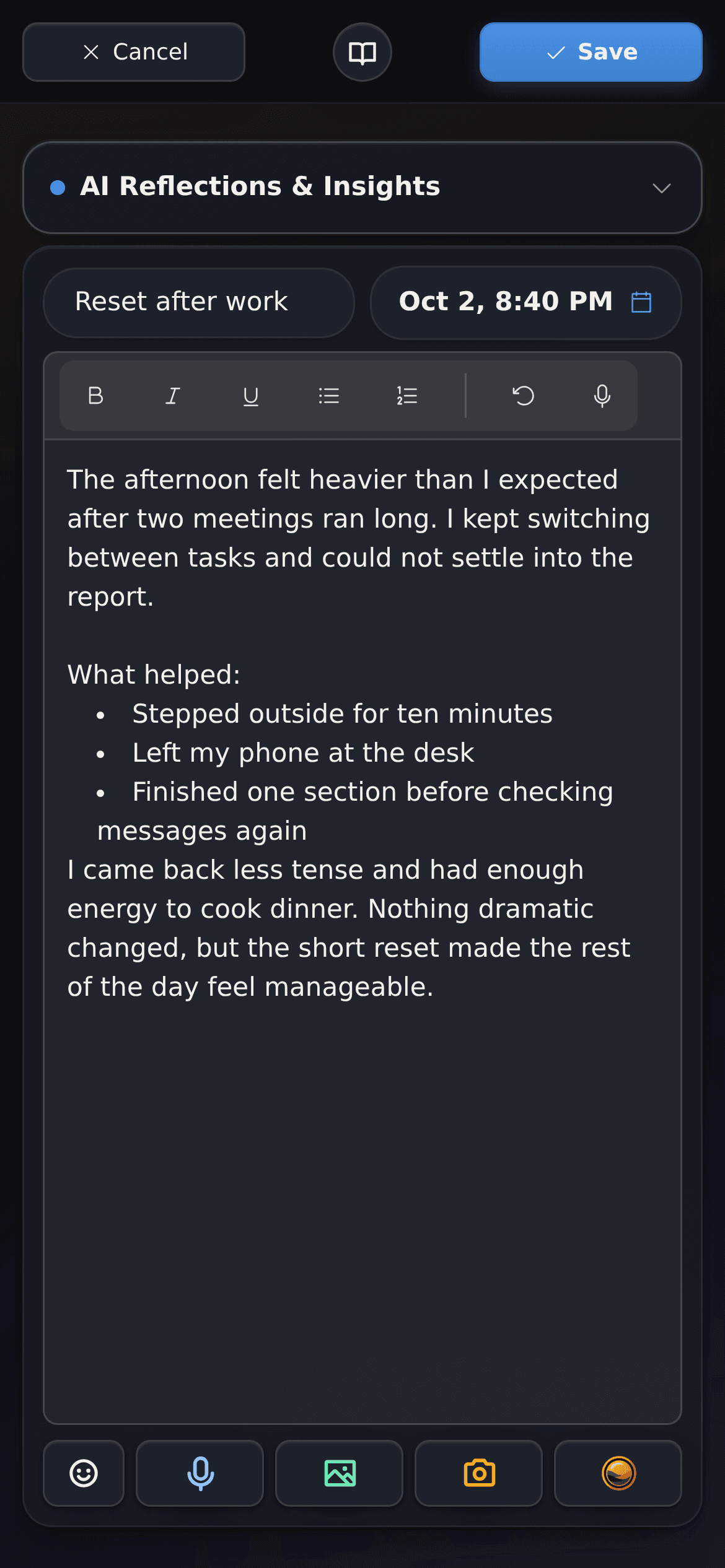
Use the + button for a voice note, a text entry or Quick Track ratings. Text entries also work offline.
Step 3 · Follow
03
Keep the routine in view
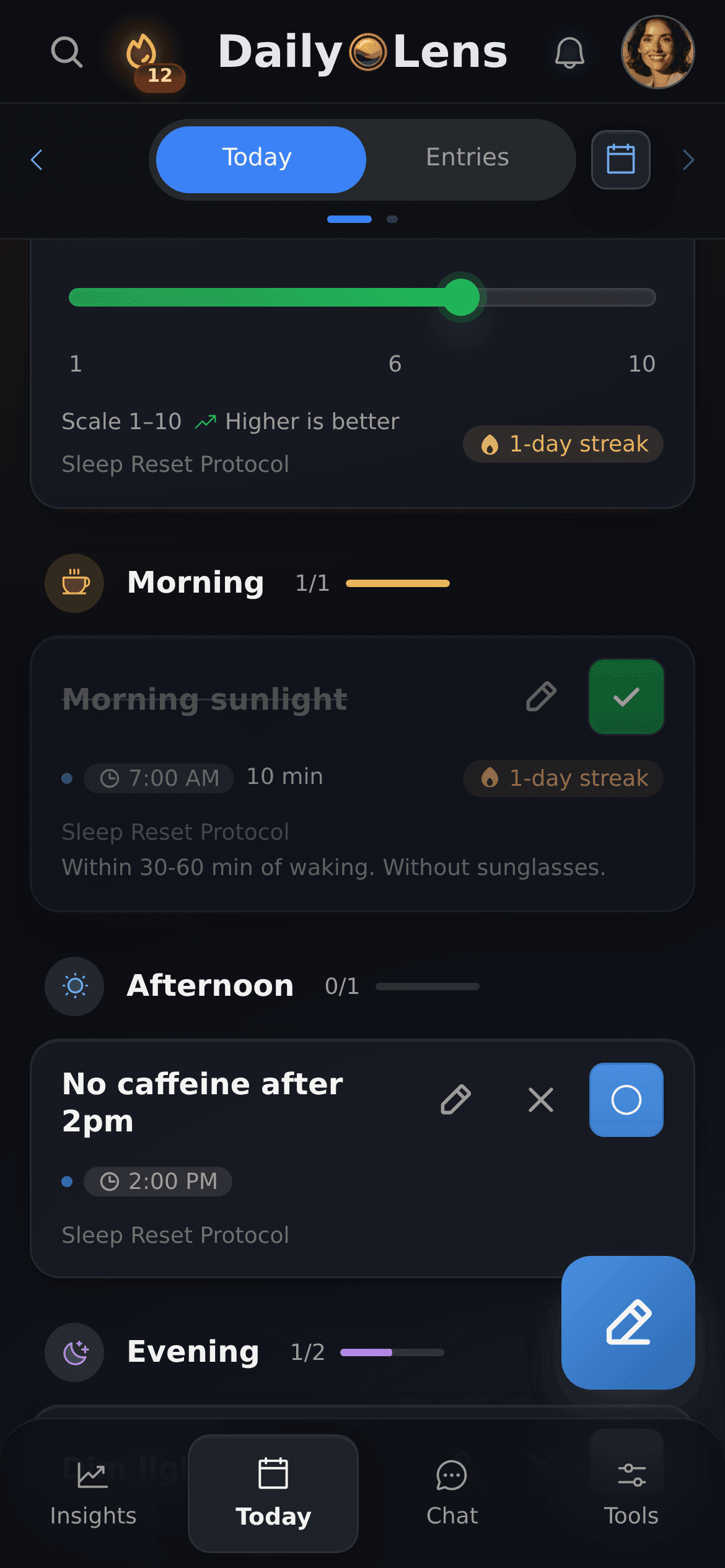
The Today tab groups your practices from wake-up to bedtime and shows protocol progress and streaks.
Step 4 · Review
04
Review the week
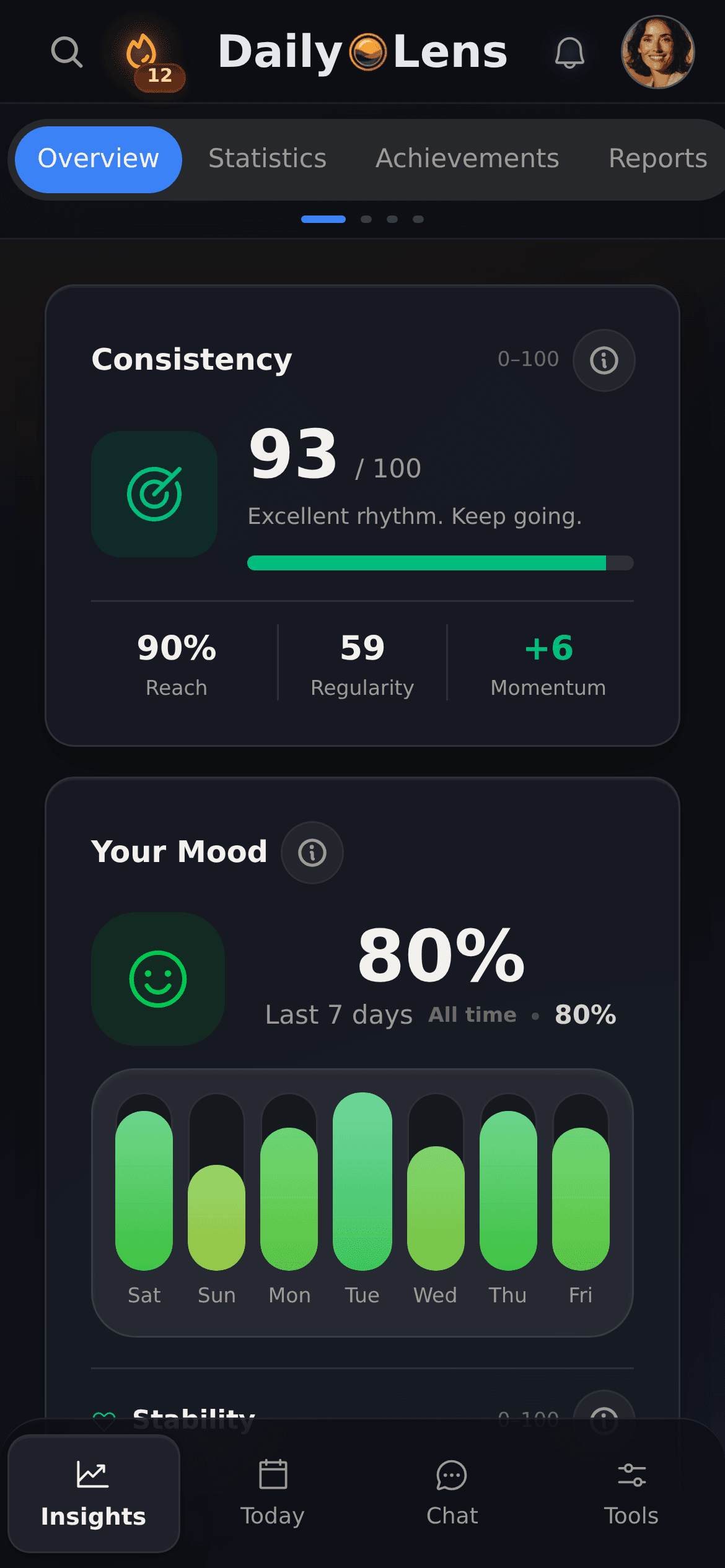
Insights shows consistency and mood over recent days. On Pro, daily and weekly reports summarise what you recorded.
Inside the app
What the workday looks like in DailyLens
Real screens from the app: capture, ratings and the weekly view.
Voice note
Record the open threads before you close the laptop. Each recording becomes a journal entry.
Quick Track
Rate sleep quality, energy or anything else you track in a few taps.
Insights
See consistency and mood over recent days.
Clear boundaries
Your records, your conclusions
DailyLens shows what you recorded. It does not score your work, diagnose or tell you how productive to be.
A personal tool, not a work tracker
Your entries belong to your account. DailyLens has no team view and does not report anything to an employer.
Text entries start on your device
Text entries are saved locally first, so you can write offline. They sync to your account when you are signed in and online.
AI only where you use it
Transcription, voice analysis, reports and AI chat send the data they need to DailyLens servers and AI providers. AI chat applies a suggested change only after you approve it.
Some features depend on your plan
The free plan covers writing and recording entries, ready-made protocols and Quick Track, with limits on voice transcription and custom protocols. AI chat, daily and weekly reports, voice analysis and personal goals are part of Pro.
Further reading
Guides for demanding workdays
Articles on offloading open thoughts, short evening planning and small routines that fit a busy schedule.
Learn how cognitive offloading reduces mental clutter, protects focus, and helps overloaded professionals build a calmer, more intentional workday today.
Discover how a simple 10-minute evening planning ritual can cut procrastination by 30% and boost focus, energy, and performance. Backed by habit science, this guide offers practical protocols and a journaling template to help you start tonight.
In the landscape of high performance, your attention is your most valuable currency. Yet, we live in an state of constant attentional warfare. Notifications, context switching, and an endless stream of information create a near-constant state of cognitive fragmentation. The deep work required for breakthrough performance feels increasingly elusive.
Read article
Features
Journal, routines, and daily tracking in one app
Use each tool on its own or together with the others, on your phone or computer. Start with one and add more as you need them.
Voice notes
Speak instead of typing. Each recording is saved as a journal entry and transcribed in the background, within your plan's limits. Voice analysis is part of Pro.
As much as you want to give it. A voice note, a few ratings or ticking off a practice takes a minute or two; longer entries are optional.
Does DailyLens work offline?+
Text entries are saved on your device first and sync when you are back online. Voice transcription, reports and AI features need a connection.
Which features are free?+
On the free plan you can write and record entries, follow ready-made protocols and use Quick Track; voice transcription and custom protocols are available with limits. AI chat, daily and weekly reports, voice analysis and personal goals are part of Pro.
More ways to use DailyLens
One product, different starting points. Choose the topic closest to what you want to understand or improve.